

AI Visualizer for ChatGPT
Overview
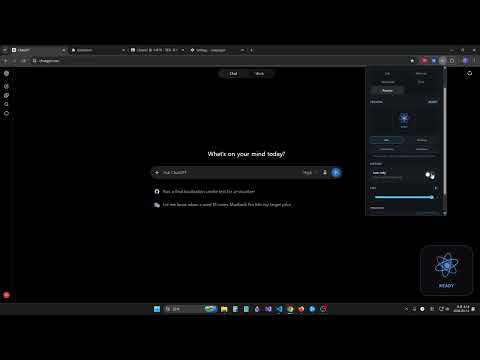
Visualize ChatGPT's current state with customizable animated indicators.
v0.0.21 This release improves AI Visualizer compatibility with recent updates to ChatGPT on the web. - Improved detection of streaming responses in ChatGPT Chat and Work. The visualizer now detects the visible Stop button to avoid showing completion mid-response. - Fixed the visualizer disappearing when ChatGPT rebuilds the page structure. - Removed the usage shortcut beneath the visualizer now that you can check your usage directly from the ChatGPT sidebar. AI Visualizer for ChatGPT adds a customizable animated status indicator to ChatGPT pages. See when ChatGPT is idle, thinking, answering, or has completed a response through clear visual feedback. Choose from five animated styles: • Orb • Minimal • Heartbeat • Core • Reactor You can adjust the visualizer’s size and position or display only the animated icon. Your preferences are saved using Chrome’s extension storage. AI Visualizer runs locally in your browser. The developer does not collect, sell, or transmit personal data. 📢This extension is an independent third-party project and is not affiliated with, endorsed by, or sponsored by OpenAI. ChatGPT is a trademark of OpenAI.
0 out of 5No ratings
Details
- Version0.0.21
- UpdatedNovember 21, 2026
- Offered bychillakilla
- Size103KiB
- Languages2 languages
- Developer
Email
timebudget.support@gmail.com - Non-traderThis developer has not identified itself as a trader. For consumers in the European Union, please note that consumer rights do not apply to contracts between you and this developer.
Privacy

This developer declares that your data is
- Not being sold to third parties, outside of the approved use cases
- Not being used or transferred for purposes that are unrelated to the item's core functionality
- Not being used or transferred to determine creditworthiness or for lending purposes