

AI Viral Studio - AI Image & Video Editor & Social Media Helper
8 个评分
)
概述
AI-Powered Meme Creation and Social Media Sharing
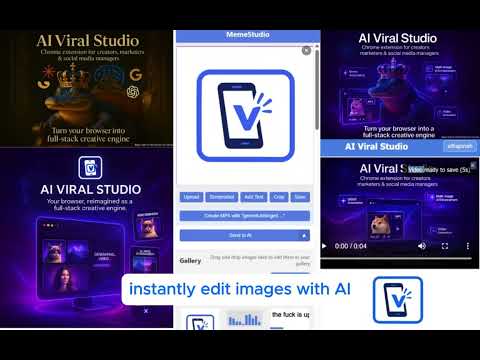
The ultimate Chrome extension for content creators, marketers, and businesses. Instantly generate AI-powered images, create engaging memes, and schedule posts across all major social media platforms with just one click. ViralStudio lets you design, edit, and post directly from your browser, saving you time and maximizing your reach. Perfect for growing brands, viral marketing, and high-volume content production, ViralStudio is your all-in-one creative command center. (Posting and Scheduling Coming Soon!) Built to merge powerful AI image generation (similar to Midjourney or DALL·E) with mass posting capabilities, ViralStudio offers a fully integrated editor where users can create original images, modify existing ones, and prepare them for Instagram Reels, YouTube Shorts, TikTok, Facebook, and more. Users can easily add text, adjust sizes, crop, and edit media — and once finished, immediately schedule or publish content to multiple accounts without ever leaving the Chrome browser. ViralStudio also features a customizable settings panel, gallery storage, output size/quality options, and intuitive memory of user preferences to streamline repetitive tasks. Its minimal, high-speed UI is carefully engineered for responsiveness, even when handling large galleries of images and videos. Silent MP4 creation, background audio addition, and upcoming video editing capabilities are designed specifically for creators looking to dominate short-form content platforms with ease. Whether you're building memes, branded ads, or viral videos, ViralStudio delivers a professional-grade toolkit inside a simple, accessible browser extension.
5 星(5 星制)8 个评分
详情
- 版本0.6.9
- 上次更新日期2025年5月7日
- 提供方triplecheckai
- 大小9.86MiB
- 语言English
- 开发者
邮箱
triplecheckai@gmail.com - 非交易者该开发者尚未将自己标识为交易者。欧盟地区消费者须知:消费者权利可能不适用于您与该开发者达成的合约。
隐私权
该开发者已声明,您的数据:
- 不会因未获批准的用途出售给第三方
- 不会为实现与产品核心功能无关的目的而使用或转移
- 不会为确定信用度或放贷目的而使用或转移
支持
若有任何疑问、建议或问题,请在桌面浏览器中打开此页面