

AI Translator

Overview
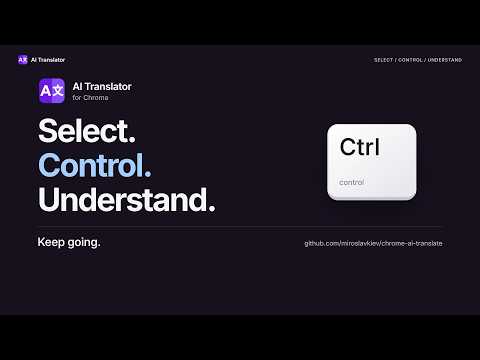
Super easy translation: select text and press Control. Translate into your chosen language with Gemini.
Read across languages without the copy-paste loop. Select a word, sentence or paragraph, tap and release Control, and see a Gemini translation beside the original. AI Translator is a free, open-source Chrome extension that keeps you on the page. 🌍 Translate your way • Choose from 110 translation language and script options. The interface supports 55 language and regional options. • Change the language for one result without changing your default. • Copy a translation or reopen the latest result from the toolbar. • Choose another trigger key, turn it off, or use the right-click menu. • Translate selected text in local HTML files when Chrome's file access is enabled. ⚡ Quick setup 1. Get your own Gemini API key from Google AI Studio: https://aistudio.google.com/apikey 2. Open Settings, read the data-sharing notice, and choose Agree and connect to Google. 3. Paste your key, choose your language and model, finish setup, and refresh open pages. 🔑 What you need An internet connection and a Gemini project with active billing are required in every country. The extension is free; Google API charges and limits may apply. A paid Gemini app subscription does not replace API project billing. Keep optional sharing of this extension's request logs and datasets with Google for training or product improvement off. The extension does not verify your billing or sharing settings. For people aged 18 or older, for work or business use, in Google's supported regions. Use requires following the Google API Terms and Gemini API Additional Terms: https://developers.google.com/terms https://ai.google.dev/gemini-api/terms Supported regions: https://ai.google.dev/gemini-api/docs/available-regions 🔒 Privacy and control No Google API request starts before your data agreement. Requested translations send your selected text, target language and instructions directly to Google using your key. Model checks also contact Google. No ads, analytics or translation history; only the latest result stays for the browser session. Your saved key is encrypted on this device, but someone with access to your Chrome profile may still recover it. You can withdraw agreement or remove the key in Settings. Only share text you may send to Google, and check important translations. 💻 Compatibility and help Chrome 140 or later. Manually tested on Mac only. Chrome settings pages, the Chrome Web Store, the built-in PDF viewer and other protected pages do not allow translation. Guide and source: https://github.com/miroslavkiev/chrome-ai-translate Support: https://github.com/miroslavkiev/chrome-ai-translate/issues Privacy details: https://github.com/miroslavkiev/chrome-ai-translate/blob/main/PRIVACY.md AI Translator is an independent project, not a Google product.
0 out of 5No ratings
Details
- Version1.5.1
- UpdatedSeptember 8, 2026
- Offered byMyroslav Kravchenko
- Size1011KiB
- Languages55 languages
- Developer
Email
kravch@gmail.com - Non-traderThis developer has not identified itself as a trader. For consumers in the European Union, please note that consumer rights do not apply to contracts between you and this developer.
Privacy

AI Translator has disclosed the following information regarding the collection and usage of your data. More detailed information can be found in the developer's privacy policy.
AI Translator handles the following:
This developer declares that your data is
- Not being sold to third parties, outside of the approved use cases
- Not being used or transferred for purposes that are unrelated to the item's core functionality
- Not being used or transferred to determine creditworthiness or for lending purposes
Support
For help with questions, suggestions, or problems, visit the developer's support site