


Overview
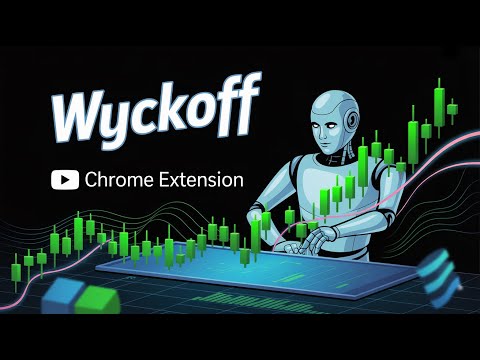
Use AI to Analyze your trading chart using the Wyckoff method to provide stop loss and take profit suggestions.
Fed up of losing? If Wyckoff was next to you, how would you feel? Stop guessing. Start trading with institutional precision. Imagine having Richard Wyckoff himself sitting next to you, analyzing every candle in real-time. Now, combine that expertise with advanced AI that never sleeps, never gets tired, and never trades with emotion. 🎁 SPECIAL OFFER: Try the FULL version FREE for up to 10 graph analysis 📉 Why You Need This Extension Trading is stressful. Determining the right entry and exit points feels like gambling. The Wyckoff AI Trading Assistant eliminates the "fear and greed" cycle by overlaying institutional-grade analysis directly on your chart. We don't just tell you the trend; we give you the actionable data you need to profit. 🔥 Key Features & Benefits 🎯 Auto-Calculate Winning Setups: The AI instantly projects optimal Stop Loss (SL) and Take Profit (TP) levels based on logic, not feelings. 🤖 Real-Time Pattern Recognition: Automatically detects complex Wyckoff schematics (Accumulation, Distribution, Springs, Upthrusts) so you don't miss the move. ⚡ Native Chart Integration: Works seamlessly on [Insert Platform, e.g., TradingView], feeling like a built-in feature rather than a clumsy overlay. 🎓 Master the Method: Watch the AI mark up charts live. It’s the fastest way to learn the Wyckoff methodology—better than any static textbook. 👤 Who Is This For? Crypto & Forex Traders who want to catch "Whale" movements before they happen. Day Traders looking for quick, high-probability scalps. Investors who want to buy the dip (Accumulation) and sell the top (Distribution) with confidence. 🛠️ How It Works Install: Click "Add to Chrome." Open Chart: Go to [Platform Name]. Activate: Click the extension icon. Profit: Watch the AI overlay SL/TP zones instantly. ⚠️ RISK WARNING & DISCLAIMER Not Financial Advice. Trading involves high risk. This AI tool is for educational purposes and to assist technical analysis. Always Do Your Own Research (DYOR). Version History v2.1: Major UI Overhaul + Free 24h Trial unlocked. v2.0: Performance optimization and bug fixes. v1.0: Initial Release.
5 out of 57 ratings
Details
- Version2.5
- UpdatedMarch 29, 2026
- FeaturesOffers in-app purchases
- Size769KiB
- LanguagesEnglish
- DeveloperWebsite
Email
solaitions@gmail.com - Non-traderThis developer has not identified itself as a trader. For consumers in the European Union, please note that consumer rights do not apply to contracts between you and this developer.
Privacy

AI Trading Chart Analysis | Wyckoff Method has disclosed the following information regarding the collection and usage of your data. More detailed information can be found in the developer's privacy policy.
AI Trading Chart Analysis | Wyckoff Method handles the following:
This developer declares that your data is
- Not being sold to third parties, outside of the approved use cases
- Not being used or transferred for purposes that are unrelated to the item's core functionality
- Not being used or transferred to determine creditworthiness or for lending purposes
Support
For help with questions, suggestions, or problems, please open this page on your desktop browser