

AI Screenshot

Overview
Capture a webpage area, copy the PNG, and attach it to a selected existing ChatGPT or Claude chat without sending.
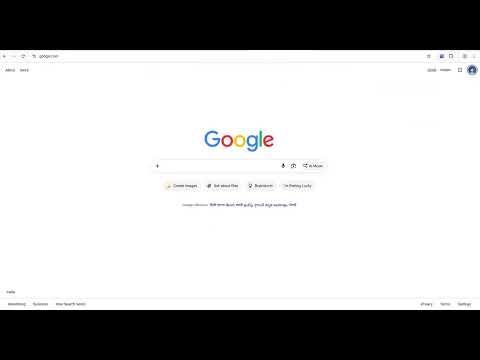
**AI Screenshot — Capture Once. Keep Capturing. Send to AI.** AI Screenshot is a lightweight Chrome extension that lets you capture selected areas of webpages and automatically attach screenshots to your existing ChatGPT or Claude conversations. No repeated file uploads. No switching back and forth between tabs. Just select, capture, and continue working. **Key Features** - **Direct AI Chat Attachment:** Automatically attach screenshots to an existing ChatGPT or Claude conversation. - **Continuous Screenshot Capture:** Start once and keep capturing until you press ESC. - **Cross-Tab Capture:** Switch between Chrome tabs and continue capturing without restarting. - **Fast Screenshot Queue:** Capture multiple screenshots while previous images are being attached in sequence. - **Keyboard Shortcut:** Press Alt + Shift + S to start capturing. - **Selected Area Capture:** Choose exactly which portion of the visible webpage you want to capture. - **Clipboard Support:** Copy screenshots as PNG images for manual pasting when needed. - **Simple Controls:** Enable or disable the extension and choose your destination conversation. **How It Works** 1. Open an existing ChatGPT or Claude conversation. 2. Enable AI Screenshot and select the destination chat. 3. Click Capture Screenshot or press Alt + Shift + S. 4. Drag to select the area you want to capture. 5. Continue capturing screenshots across permitted Chrome tabs. 6. Press ESC to stop capture mode. Screenshots are attached to the selected AI conversation for you to review. The extension does not automatically send your messages. **Who Is It For?** Ideal for developers, designers, researchers, students, digital marketers and anyone who regularly uses screenshots while working with AI assistants
0 out of 5No ratings
Details
- Version0.12.0
- UpdatedOctober 24, 2026
- Offered byamulbhatia
- Size217KiB
- LanguagesEnglish
- DeveloperAmul Bhatia
WARD NO 19 1ST FLOOR, NEAR NAV ADARSH SCHOOL LOWER SHIVA NAGAR, BACKSIDE OF SHEEP HUSBANDARY, KATHUA KATHUA, Jammu and Kashmir 184101 INEmail
amulbhatia@gmail.comPhone
+91 95352 38633 - TraderThis developer has identified itself as a trader per the definition from the European Union and committed to only offer products or services that comply with EU laws.
Privacy

AI Screenshot has disclosed the following information regarding the collection and usage of your data. More detailed information can be found in the developer's privacy policy.
AI Screenshot handles the following:
This developer declares that your data is
- Not being sold to third parties, outside of the approved use cases
- Not being used or transferred for purposes that are unrelated to the item's core functionality
- Not being used or transferred to determine creditworthiness or for lending purposes