

AI Productivity Suite

Overview
Enhanced AI prompt management with ChatGPT, smart import/export, and powerful organization features. Boost your AI productivity!
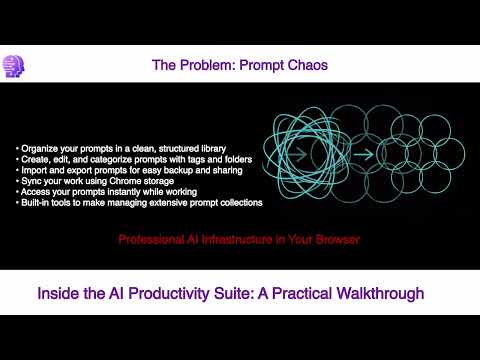
STOP LOSING YOUR BEST AI PROMPTS. Your AI prompt library, right in the browser. Organize, customize, and send structured prompts to ChatGPT, Claude, Gemini, or Copilot in one click. If you use AI regularly, you know the problem. Great prompts live in random docs, chat histories, and browser tabs. Every time you need one, you start from scratch. AI Productivity Suite fixes that. YOUR PROMPT LIBRARY, ALWAYS ONE CLICK AWAY Build a structured library of prompts directly inside Chrome. Organize by folder, tag, and category. Search and find what you need in seconds. Everything stays local inside your Chrome profile, no cloud sync, no external servers, full ownership. PROMPTS THAT ACTUALLY WORK WITH YOUR INPUTS Fill in variable fields inline and watch the final prompt update live before you send it. Dropdown variables let you pick from predefined options. Linked dropdowns narrow your choices automatically based on what you selected before. Large text editor mode handles complex inputs without cramping your style. SEND TO ANY AI PLATFORM YOU USE Copy and open your completed prompt directly to ChatGPT, Claude, Gemini, or Copilot. Your preferred platform is remembered across sessions. One click and you are in. READY-TO-USE PROMPT WORKFLOWS INCLUDED AI Productivity Suite ships with a built-in prompt library covering support workflows, competitive intelligence, marketing, sales outreach, and more. Use them as is or customize them as starting points for your own library. BUILT FOR INDIVIDUALS, TEAMS, AND AGENCIES Whether you are a solo operator, a small team, or an agency managing multiple clients, AI Productivity Suite gives you structure and consistency in how you use AI every day. Different Chrome profiles mean clean separation between clients or projects. Export your library in CSV or JSON and take it anywhere. WHY PEOPLE INSTALL IT Stop rewriting prompts from memory. Stop getting inconsistent results. Build a system that works the same way every time, for you and everyone on your team. --- What's New in v1.124.12 --- CASCADE DROPDOWNS Template prompts can now include linked dropdowns where the second dropdown populates automatically based on your first selection. No more scrolling through irrelevant options. SUPPORT PROMPT GENERATOR A new built-in prompt covering 12 software verticals and 240 vendors. Select your vertical, select the vendor, describe the issue, and get a structured troubleshooting prompt ready to paste into any AI assistant. EDITABLE PREVIEW The preview panel now has an Edit button. Click it to modify the assembled prompt before copying, useful for adding context, switching language, or adjusting tone on the fly. Reset restores the original template output. IMPROVED PREVIEW ACCURACY Fixed a bug where pipe-style dropdown variables appeared twice in the preview and assembled output. The preview now reflects exactly what gets copied. CLEANER PREVIEW FORMATTING Removed extra blank lines in the preview that appeared when template control blocks were stripped from the prompt body. BETTER FIELD LABELS Variable names in the form now display as readable labels, so described_issue renders as Described Issue and software_vendor renders as Software Vendor. LARGER TEXT INPUT FOR ISSUE DESCRIPTIONS Multi-line input fields like Described Issue now render as a proper textarea instead of a single-line input box. RELIABILITY FIX Fixed an edge case where prompts could fail to load after clearing extension storage during development. The extension now re-seeds correctly on every reload.
5 out of 53 ratings
Details
- Version1.124.12
- UpdatedJune 12, 2026
- FeaturesOffers in-app purchases
- Size687KiB
- LanguagesEnglish (United States)
- DeveloperWebsite
Email
emailbox.verheyen@gmail.com - Non-traderThis developer has not identified itself as a trader. For consumers in the European Union, please note that consumer rights do not apply to contracts between you and this developer.
Privacy

This developer declares that your data is
- Not being sold to third parties, outside of the approved use cases
- Not being used or transferred for purposes that are unrelated to the item's core functionality
- Not being used or transferred to determine creditworthiness or for lending purposes
Support
For help with questions, suggestions, or problems, visit the developer's support site