


Overview
Quickly detect AI-generated images with IsItAI.com's powerful analysis engine
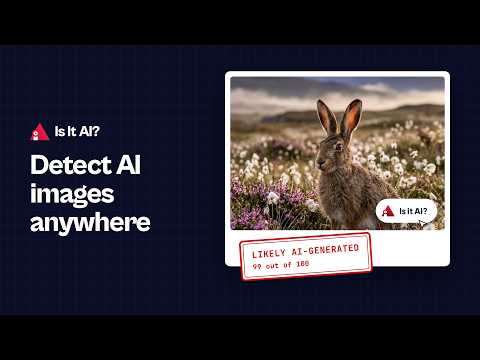
Identify AI-generated images in one click with the Is It AI? extension. Check any image you come across online - a profile picture, a news photo, a meme or a work of digital art - and see whether it was likely generated by AI or made by a person. Key features: - Works on any page: Point at an image and click the "Is it AI?" button, or right-click any image and select "Analyze with Is It AI?". - A clear verdict in the side panel: See a result such as "Likely AI-generated, 99 out of 100" in Chrome's side panel, with no popups and without leaving the page. - Method identification: See which tool likely made the image (DALL-E, Midjourney, Stable Diffusion, Nano Banana and more). - NSFW detection: Potentially inappropriate content is flagged next to the result. - Investigate online (paid plans): See where the image appears online, the oldest copy found, and any published fact checks. It is off until you turn it on in Settings. Private links, such as images from webmail or cloud drives, always ask before anything is sent. - Explain the results (paid plans): After Investigate online runs, get a plain-language explanation that weighs the detection, where the image appears and any fact checks together. - Your history: Every check is saved to your IsItAI.com account. The panel shows your recent checks and how many checks you have left this month. - Kept up to date: Our detection models are updated regularly as new image generators appear. How it works: 1. Add to Chrome: Click "Add to Chrome" to install. 2. Pin the extension: Pin it to your toolbar for one-click access. 3. Open the side panel: Click the extension icon to open the Is It AI? side panel and sign in to your IsItAI.com account. 4. Check an image: Point at any image and click the "Is it AI?" button, or right-click it and select "Analyze with Is It AI?". 5. Read the verdict: See whether the image is likely AI-generated or human-made, with a score out of 100, the likely generation method and an NSFW check. Results are likelihoods, not proof. Like any detector, Is It AI? can be wrong, especially on heavily edited photos. What's new in 2.1.0: - A fresh look that matches IsItAI.com, with a new home screen showing your checks left and recent checks. - Settings apply instantly, with no Save button and no page reload. - Results read like the site: "Likely AI-generated, 99 out of 100". Open any check in your History and tell us how the result was. - Investigate online and Explain the results for paid plans. - Errors now show in the side panel with a clear next step, instead of as system notifications. - A cleaner button on images, calmer motion, and the new IsItAI.com logo. For more information, visit IsItAI.com
5 out of 54 ratings
Details
- Version2.1.0
- UpdatedOctober 22, 2026
- FeaturesOffers in-app purchases
- Size123KiB
- LanguagesEnglish
- Developer
- Non-traderThis developer has not identified itself as a trader. For consumers in the European Union, please note that consumer rights do not apply to contracts between you and this developer.
Privacy

AI Image Detector by IsItAI.com has disclosed the following information regarding the collection and usage of your data. More detailed information can be found in the developer's privacy policy.
AI Image Detector by IsItAI.com handles the following:
This developer declares that your data is
- Not being sold to third parties, outside of the approved use cases
- Not being used or transferred for purposes that are unrelated to the item's core functionality
- Not being used or transferred to determine creditworthiness or for lending purposes
Support
For help with questions, suggestions, or problems, please open this page on your desktop browser