

AI Host Assistant for Airbnb
5 ratings
)
Overview
Tools for Airbnb hosts: listing signals, market filter gaps, net payouts, guest screening and AI reply drafts, inside Airbnb
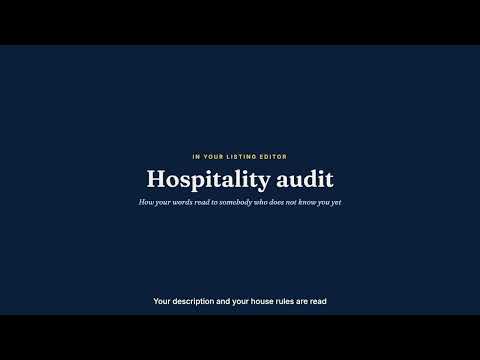
If Airbnb stops showing your listing, you lose bookings before a single message arrives — and the numbers that explain why are spread across five pages of your hosting dashboard. AI Host Assistant for Airbnb reads what your dashboard, your calendar, your inbox and your listing editor already show, and turns it into a verdict, a plan, a net figure, a guest screening and a draft reply — each on the page where you need it. Built by an Airbnb Superhost, for Airbnb hosts. There is no separate app to open: install it, go to Airbnb, and each tool appears where its job is. Free, with your own OpenAI key. Not affiliated with, endorsed by, or sponsored by Airbnb, Inc. 🧰 ONE JOB — KEEP YOUR OWN LISTING BOOKED — SIX TOOLS THAT SHARE IT Everything runs on the Airbnb pages a signed-in host is already looking at, and nothing is offered outside them. The six tools are facets of one job — keeping your listing seen and booked — not a separate bundle: Two watch your visibility, one your money, two your guests, one how you sound. 🩺 LISTING SIGNALS — "Signals" in the multicalendar's year view Thirteen factors read from your own dashboard: first-page impressions, click-through, conversion, occupancy, price against Airbnb's own equilibrium estimate, cleaning-fee weight, recent reviews, host cancellations, resolution-center cases, Superhost standing and open opportunities. Each gets a green, amber or red verdict with what it is, what it does to you, and why it is that color right now. Ask for a plan and it writes the two or three things worth doing next, each with how to verify it worked and by when. It never invents a figure: every number comes from your dashboard. Optionally, a daily reading in the background lets the panel show a trend — you can switch it off in the options. 🔎 MARKET FILTER GAPS — "Find filter gaps" in the listing editor Guests filter, and every box they check removes every listing missing it. This tool counts the real search results in your area, box by box, and shows which filters almost nobody near you offers — where being the only one is worth money — and which ones almost everybody has and you are missing, where you quietly disappear from the results. 📆 CALENDAR AND NET PAYOUT — in the multicalendar A collapsible panel on every month. Open it to see paid, still to be paid and unsold revenue — with the net after Airbnb's host fee; in a closed month, the unsold nights net of the fee that month's own reservations paid, or at the price you asked when that fee is not known — plus booked, free and blocked nights, occupancy, RevPAR and the month's funnel. The net payout appears under the price of every night that can still be booked, and a year view shows where the money and the bookings went. 👤 GUEST SCREENING — in the inbox, under the reservation details Know who is booking before you say yes: their public Airbnb profile, how long they have been on the platform, whether their identity is verified, and the reviews other hosts wrote about them. Plus two things Airbnb's own screen does not show: 🔁 Do they leave reviews? We check the hosts who reviewed them and look for a review back, so you know whether yours is likely to arrive. 🤖 An AI reading of their record — what the pattern of their stays says, with the exact sentences it rests on. It judges behavior, never identity. ⚡ REPLY DRAFTER — in the inbox, next to the message box Click the ⚡ and the extension reads the thread, your listing and your own notes on the guest, then writes the message a good host would send and puts it in the message box for you to edit. Choose the reply language and the tone: warm, short and direct, clear instructions, when something went wrong, or when the answer has to be no. Add what the thread does not know — "the elevator is out until Thursday" — and it is used to write the reply, never quoted back to the guest. Nothing is sent until you press Send yourself. 📝 HOSPITALITY AUDIT — in the listing editor "Audit my copy" reads your description and house rules and tells you how they sound to someone who does not know you yet: where a rule reads as a threat, and how to say the same thing without losing the booking. 🌍 LANGUAGE SUPPORT The interface is available in English and Spanish, and replies can be drafted in either language regardless of the interface language. The extension works on airbnb.com and on every Airbnb market domain (airbnb.es, airbnb.mx, airbnb.co.uk, airbnb.com.br and the rest). 🔒 PRIVACY AND DATA 🔹 Before anything is sent to OpenAI, the extension shows you what it reads and where it goes. Decline, and nothing is sent. Tools that only read your own figures from Airbnb, and send nothing to AI, do not show that dialog; what they read stays in your browser unless you press an AI button. 🔹 Your OpenAI key stays in your Chrome profile and is sent only to OpenAI, with the request it pays for. Our servers never see it. 🔹 What reaches OpenAI is what a tool needs, when you press its button: your listing's figures, texts and first photos for a plan, its description and house rules for an audit, a guest's public profile, the reviews about them and by them and part of the conversation for a screening, and the conversation, the reservation and your listing's texts for a reply. It goes from your browser to OpenAI directly and never passes through our servers. 🔹 Our servers store your account profile — email and name, language, extension version, sign-up and last sign-in dates, the hour you last used it, and your plan. On the free plan this version adds nothing else: no usage count, no conversations, no guests, no listing text. The usage counts and device identifiers that earlier versions sent stay on our server until you ask us to delete them. 🔹 Two readings run in the background, once a day, for your own listings only: Signals re-reads the figures of a listing you read there, and the golden window records the calendar of a listing you measured. What they read stays in your browser unless you press an AI button in Signals, they run only while you are signed in, and one switch in the options turns both off. 🔹 Nothing is ever written to Airbnb: no messages sent, no prices changed, no bookings touched. The extension reads with your own session. 💎 FREE — BRING YOUR OWN KEY ▪️ All six tools, unlimited, no trial period ▪️ Requires your own OpenAI API key, set once in the extension options; you pay OpenAI only for what you use ▪️ No subscription, no hidden fees 🚀 GETTING STARTED 1. Install the extension and open airbnb.com 2. Sign in with Google when asked — we keep your email and name and the short profile described above 3. Right-click the extension icon → Options → paste your OpenAI API key → Save 4. Open the multicalendar: "Signals" in the year view opens the listing panel, and every month has its own panel 5. Open a guest conversation: the strip under the reservation details screens the guest, and the ⚡ next to the message box drafts a reply; open the listing editor for the market gaps and the audit 📋 REQUIREMENTS ▪️ Google Chrome ▪️ An Airbnb host account with at least one listing ▪️ An OpenAI API key — get one at platform.openai.com ▪️ A Google account for sign-in 📩 SUPPORT Website: https://str-host-assistant.web.app · Report a problem on GitHub (the link is in the extension options) · strcopilot@gmail.com "AI Host Assistant for Airbnb is not affiliated with, endorsed by, or sponsored by Airbnb, Inc. or OpenAI."
5 out of 55 ratings
Details
- Version3.1.0
- UpdatedSeptember 30, 2026
- Offered byjomendez
- Size1.2MiB
- Languages2 languages
- DeveloperJose Mendez Perez
13375 SW 42nd Terrace Miami, FL 33175-3940 USEmail
strcopilot@gmail.comPhone
+1 786-486-1561 - TraderThis developer has identified itself as a trader per the definition from the European Union and committed to only offer products or services that comply with EU laws.
Privacy

AI Host Assistant for Airbnb has disclosed the following information regarding the collection and usage of your data. More detailed information can be found in the developer's privacy policy.
AI Host Assistant for Airbnb handles the following:
This developer declares that your data is
- Not being sold to third parties, outside of the approved use cases
- Not being used or transferred for purposes that are unrelated to the item's core functionality
- Not being used or transferred to determine creditworthiness or for lending purposes
Support
For help with questions, suggestions, or problems, visit the developer's support site