

AI Headshot Generator Pro

Overview
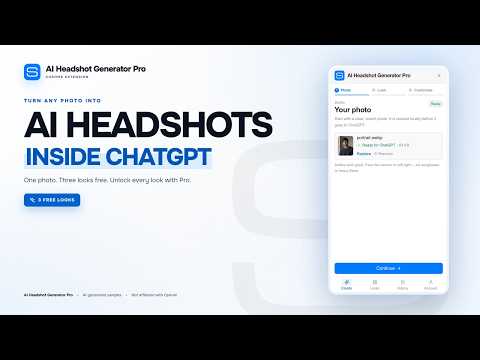
Turn any photo into professional AI headshots inside ChatGPT. Pick a look, refine the prompt, and download your results.
Turn one photo into a professional headshot — without leaving ChatGPT. AI Headshot Generator Pro is a Chrome extension that adds its studio panel to chatgpt.com. Upload a photo, choose one of nine curated looks, fine-tune the wardrobe, framing, background, lighting or expression, and send a detailed, identity-preserving prompt into the ChatGPT conversation you already use. When the image comes back, the extension saves a local copy in History with a Download button. No separate image app. No account to create. No image API key. HOW IT WORKS 1. Open chatgpt.com and click the AI Headshot Generator Pro icon in the Chrome toolbar. 2. Upload a JPG, PNG or WebP photo. It is resized locally in your browser. 3. Choose a look — The Executive, Boardroom, Natural Light, Modern Minimal, Creative Edge, Warm Editorial, The Founder, The Clinician or Studio Noir. 4. Fine-tune wardrobe, shot type, background, lighting, makeup, role/context and creative direction. 5. Press Generate my headshot. The extension attaches your photo to the ChatGPT composer, writes the prompt and sends it. 6. When ChatGPT returns the image, The extension captures it and saves a compressed local copy in History. Use Download whenever you need the file. FEATURES • 9 curated looks — complete prompt presets for executive, boardroom, natural, minimal, creative, editorial, founder, healthcare and low-key styles. • Identity-preserving prompt engine — a detailed template covering role, wardrobe, framing, backdrop, lighting, expression, makeup, skin and hair realism, camera language, strict likeness instructions and negatives. • Detailed look controls — wardrobe, shot type, background, lighting, makeup, role/context and creative direction all feed the identity-preserving prompt. • Guided ChatGPT workflow — attaches the photo, writes the prompt, sends it and watches for the result. If ChatGPT changes its upload UI, the extension also supports a manual-attachment retry. • History with local downloads — saves a compressed copy of each captured result, with a full-size viewer, crop/resize editing, image clipboard copy, PNG/JPG/WebP download and Delete. • Privacy-first by design — photos are resized locally and sent directly to ChatGPT in your own browser session. The extension has no servers and never receives your images or prompts. • macOS-style panel — a compact, keyboard-friendly UI with toolbar toggle, an in-panel guide outside ChatGPT, light/dark theme matching and a mobile-app-style bottom tab bar. • Everything included — all 9 looks, unlimited headshot requests, and the full prompt engine. No account, subscription, license or credits. Every feature is included: • All 9 curated looks • Unlimited headshot requests • The full prompt engine and fine-tuning • Local History and downloads There is no account, subscription, license key or usage limit. The "Pro" in the product name is part of the name — it is not a paid tier. Your ChatGPT plan and its image-generation limits still apply. PRIVACY • No servers run by the developer. Your photos, prompts and generated images are never sent to us. • Photos are resized in your browser and attached directly to the ChatGPT composer. • Generated images are fetched from ChatGPT's image hosts so they can be stored locally for History and Download. • Settings and History are stored in chrome.storage.local on your device. • The extension reads the ChatGPT page only to find the composer, attach the photo, insert the prompt and detect the generated image. • Delete individual History entries or clear all History at any time from the History tab. • Only upload photos you have permission to use. Generated images are subject to your ChatGPT plan and OpenAI's terms. SUPPORT Questions, bugs or feature requests: support@aiheadshotgeneratorpro.app Support page: https://ai-headshot-generator-pro.vercel.app/support Privacy policy: https://ai-headshot-generator-pro.vercel.app/privacy
0 out of 5No ratings
Details
- Version1.5.1
- UpdatedNovember 5, 2026
- Offered bytamnvhustcc
- Size761KiB
- LanguagesEnglish
- Developer
Email
tamnvhustcc@gmail.com - Non-traderThis developer has not identified itself as a trader. For consumers in the European Union, please note that consumer rights do not apply to contracts between you and this developer.
Privacy

AI Headshot Generator Pro has disclosed the following information regarding the collection and usage of your data. More detailed information can be found in the developer's privacy policy.
AI Headshot Generator Pro handles the following:
This developer declares that your data is
- Not being sold to third parties, outside of the approved use cases
- Not being used or transferred for purposes that are unrelated to the item's core functionality
- Not being used or transferred to determine creditworthiness or for lending purposes
Support
For help with questions, suggestions, or problems, visit the developer's support site