

AI-Free Web – Turn Off Google AI Overviews, Gemini & Copilot

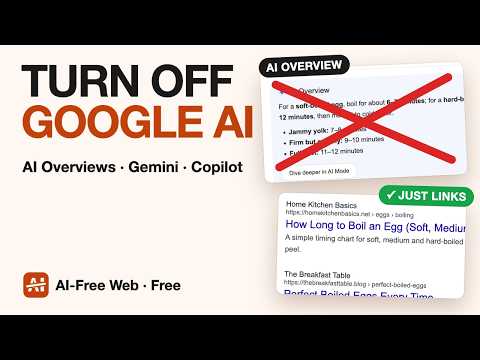
Overview
Turn off AI on the web: hide AI Overviews, Gemini, Copilot and other AI buttons and panels on Google, Microsoft and more.
AI features keep appearing in the web apps you use every day, and there is no single setting to turn them off. AI-Free Web hides them for you. What it hides: • Google Search: AI Overviews, the AI Mode tab, "Dive deeper" prompts; optional plain "Web" results • Gmail: Ask Gemini, "Help me write", summary cards, the Gemini side panel, AI reply chips, "Try Gemini" promos • Google Docs, Sheets, Slides, Drive: Gemini menus and panels, "Help me write / organize / create", Summarize buttons and right-click items • YouTube: the Gemini "Ask" button, AI summaries and chips • Outlook on the web: the Copilot summary bar, Copilot buttons and the Copilot pane • Word, Excel and PowerPoint on the web: the Copilot ribbon button, new-document prompt and pane • LinkedIn and Bing: AI writing prompts, Copilot answers and tabs Hidden before the page appears — no flicker. One master switch, a switch per site and per feature, "Show AI on this page once", an allowlist, and "Something AI still showing?" to hide anything we missed. Rules update automatically, so fixes arrive the same day a site changes. Private by design: it never reads your emails or documents, and sends nothing unless you choose to. IT admins can set and lock settings with Chrome policy. Not affiliated with Google or Microsoft.
0 out of 5No ratings
Details
- Version1.0.0
- UpdatedNovember 27, 2026
- Size112KiB
- Languages2 languages
- DeveloperWebsite
Email
support@web-whizz.com - Non-traderThis developer has not identified itself as a trader. For consumers in the European Union, please note that consumer rights do not apply to contracts between you and this developer.
Privacy

AI-Free Web – Turn Off Google AI Overviews, Gemini & Copilot has disclosed the following information regarding the collection and usage of your data. More detailed information can be found in the developer's privacy policy.
AI-Free Web – Turn Off Google AI Overviews, Gemini & Copilot handles the following:
This developer declares that your data is
- Not being sold to third parties, outside of the approved use cases
- Not being used or transferred for purposes that are unrelated to the item's core functionality
- Not being used or transferred to determine creditworthiness or for lending purposes
Support
For help with questions, suggestions, or problems, visit the developer's support site