


Overview
AI-Do browser automation extension.
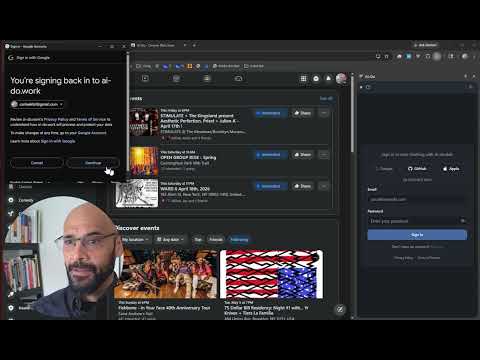
AI-Do – YOUR Personal AI Assistant Make AI work for you, without giving them the keys. AI-Do upgrades the chatbots, to actual assistants in your browser. It enables your choice of AI (eg ChatGPT, Claude, and Gemini) to do your biding, navigating websites, filling forms, etc., while limiting the amount of information they can have, and without having to set up complicated authentication. Why AI-Do? Traditional AI assistants can search the web, but they can't see what you see. They can't with sites that require a log-in, check your flight status, or help with what you are looking at on the screen. That is, unless you give your password/API access to do whatever they want, whenever they want. AI-Do changes that. Key Features 🔗 Universal AI Integration Works with practically all AI models. No API keys or complex setup required — just install and go. 🔒 Privacy-First Design • Runs in your browser — Can’t access your computer • Prompts you before taking action on your behalf • Only access your existing logged-in sessions (no credential sharing) • Only interacts with the tab you explicitly open it on, or that are opened by it for you • You control when and how tools are executed • Keeps all opened pages open, and keeps a full log of every action taken Use Cases 📅 Personal Productivity • "Summarize this article" • LinkedIn Job Filtering: “Show me the highest paying job suggestions from LinkedIn” • “Convert these 10 pages of products to one page” • "Go to amazon.com and show me my recent orders" ⚡ Task Automation • Fill out repetitive forms • Navigate multi-step workflows • Monitor pages for changes ♿ Accessibility • Voice-controlled web browsing through AI • Simplified navigation for complex sites • AI-assisted form filling 🚀 Easy Set Up 1. Install AI-Do from the Chrome Web Store 2. Open the extension and log in 3. Ask AI to interact with the page, or other websites — AI-Do handles the rest Requirements • Chrome browser (version 88 or later) Enterprise Features Enterprise customers can enable the MCP interface. • Automate sites that can’t be automated via other means (eg puppeteer, selenium, playwright) • Set up any number of browsers for large-scale automation. • Let AI do the work to avoid creating “bots” • Navigate, click, type, select, hover, scroll, and more. • Incorporate into AI workflows • Easily scriptable via Python, JS/TS, bash, etc. • Custom services available from Lytr (the developers of AI-Do http://lytr.ai/) • Much more. Contact Lytr for more information Support & Feedback AI-Do is actively developed with regular updates. For support, feature requests, or bug reports, contact us through the extension's options page, or at http://lytr.ai/ ________________________________________ AI-Do — Make AI actually do-work for you! …safely ________________________________________
5 out of 55 ratings
Details
- Version1.0.30
- UpdatedApril 15, 2026
- FeaturesOffers in-app purchases
- Size121KiB
- LanguagesEnglish
- Developer
- TraderThis developer has identified itself as a trader per the definition from the European Union and committed to only offer products or services that comply with EU laws.
- D-U-N-S143936752
Privacy

This developer declares that your data is
- Not being sold to third parties, outside of the approved use cases
- Not being used or transferred for purposes that are unrelated to the item's core functionality
- Not being used or transferred to determine creditworthiness or for lending purposes
Support
For help with questions, suggestions, or problems, visit the developer's support site