

AI Detector & Citation Generator – Plagiarism Checker Plus

Overview
Free AI detector and AI checker with a plagiarism checker and citation generator. Check any text box or selection, cite any page.
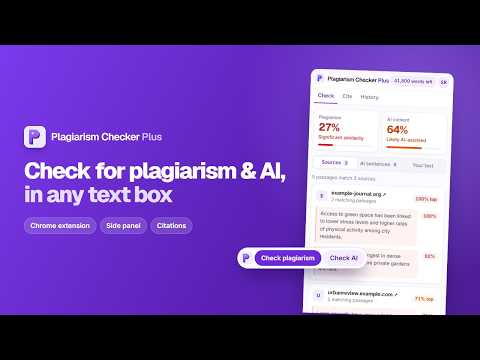
Plagiarism Checker Plus is a free AI detector extension for Chrome, with a plagiarism checker and a citation generator built in. Check what you write in any text box, check text you highlight on any page, and cite the page you're reading – all from Chrome's side panel, without copying and pasting into another tab. WHAT YOU CAN DO • AI detector (AI checker): get an overall AI score and the sentences most likely written by AI tools such as ChatGPT, Claude or Gemini, most likely first, each with its likelihood. The "Your text" view shades them in your own writing. • Plagiarism checker: see a similarity score, every web source your text matches, and the matching passages. • Citation generator: cite the page you're on in APA 7, MLA 9, Chicago or Harvard. Edit any detail, copy it with italics intact, or save it to a citation project. • Side panel: paste text or send a selection to it, see your word count and what a check will use before you start, and open the full report on our website. • History: find your recent checks again. CHECK TEXT FOR AI AND PLAGIARISM WHERE YOU WRITE • Check button: a small "Check" button appears on text boxes once you've written 50+ words, including rich editors such as Gmail. • Check bar: highlight 50+ words on any page and choose Check plagiarism or Check AI. • Right-click any selection, or press Alt+Shift+P. • Long checks keep running in the background; you get a notification when results are ready. HOW TO USE THE AI DETECTOR EXTENSION 1. Pin the extension. Try one free guest check per tool (up to 1,000 words), or sign in for your monthly words. 2. Write or highlight text, then click Check. 3. Review the AI score, sources and flagged sentences, or open the full report. 4. On any source page, open the side panel and click Cite. YOU STAY IN CONTROL • Text is sent to our servers only when you click Check. Word counts are worked out in your browser. • Hide the Check button and check bar on any site with one click, or turn them off in settings. • Password fields are never read. • We don't sell your text or use it to train AI models. See our privacy policy for details. A NOTE ON RESULTS No AI detection is perfect. An AI score is a likelihood, not proof, and results are a guide to help you review your own work, not proof of misconduct. Always read the matched passages and sources yourself. Also available: our add-on for Google Docs™, which checks your whole document and highlights matches and AI passages in place. Free to install; paid plans add more words per month. Requires Chrome 116 or later. Watch the 50-second demo: https://www.youtube.com/watch?v=s8u_QZ6hJzY Google Docs™ and Gmail™ are trademarks of Google LLC. ChatGPT, Claude and Gemini are trademarks of their respective owners.
5 out of 53 ratings
Details
- Version1.0.1
- UpdatedOctober 2, 2026
- Size462KiB
- LanguagesEnglish
- DeveloperWebsite
Email
contact@plagiarismcheckerplus.com - Non-traderThis developer has not identified itself as a trader. For consumers in the European Union, please note that consumer rights do not apply to contracts between you and this developer.
Privacy

AI Detector & Citation Generator – Plagiarism Checker Plus has disclosed the following information regarding the collection and usage of your data. More detailed information can be found in the developer's privacy policy.
AI Detector & Citation Generator – Plagiarism Checker Plus handles the following:
This developer declares that your data is
- Not being sold to third parties, outside of the approved use cases
- Not being used or transferred for purposes that are unrelated to the item's core functionality
- Not being used or transferred to determine creditworthiness or for lending purposes
Support
For help with questions, suggestions, or problems, visit the developer's support site