


概要
すべてのAIチャット全体でシームレスにジャンプし、洗練し、同期します。プライバシーファースト、MCP対応。
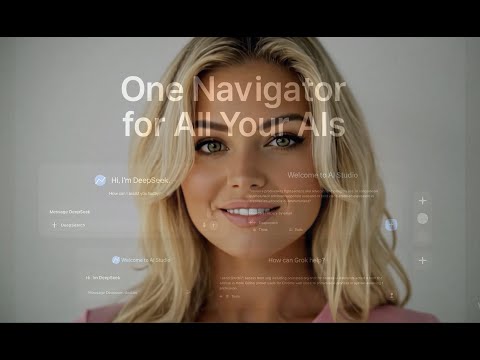
Navigate chats instantly and boost your productivity in every AI session. ChatGPT Navigator — Your AI Navigation & Prompt-Boost Toolkit Unleash the full power of ChatGPT and other AI chats without the endless scrolling or wasted tokens. ChatGPT Navigator slips seamlessly into ChatGPT, Google AI Studio, DeepSeek, OpenAI Codex, Grok, and more is coming, giving you a mini-map to jump anywhere, a library of reusable prompts, and a one-click “Improve Prompt” button that slashes costly “deep-research” usage by refining your request before you hit Send. Save time, spend less quota, get clearer answers in a single pass, and stay focused on building great ideas. Why ChatGPT Navigator? Navigate long conversations in a flash, reuse winning prompts instantly, and maximize every AI request — all while keeping your data 100 % private. Perfect for students, researchers, writers, engineers, and anyone who chats with AI daily. Key Features & Benefits 🔍 Blazing-Fast Chat Mini-Map • Clickable scrollbar dots mark every message. Jump straight to the answer you need—skip line-by-line hunting in 10- or 200-message threads. ✨ Prompt Library + Smart Autocomplete • Save go-to prompts once, reuse them everywhere. Autocomplete suggests your own prompts plus trending community ideas as you type. 💡 One-Click Improve Prompt • Let Navigator rewrite your question for maximum clarity. By avoiding trial-and-error phrasing, you save limited “deep-research” quota/tokens and get ready-to-use results in a single run. 🎨 Stay in the Flow • Mini-map and prompt panel are fully customizable—size, color, opacity, auto-hide, dark/light mode. Power when you need it, invisible when you don’t. 🌐 Cross-Platform Productivity • Works on ChatGPT, Codex, Google AI Studio, DeepSeek, Grok, and other GPT-style sites. Your mini-map and prompt tools travel with you. 🔒 Privacy First • No account, no API key, no cloud sync. Prompts and data live only in your browser. Even community suggestions load anonymously. Quick Start Click Add to Chrome. Open ChatGPT (or any supported AI chat) — Navigator loads automatically. Use the mini-map to jump around, hit Improve Prompt for smarter queries, or pull a saved prompt from your library. Updates arrive automatically via Chrome Web Store. Supercharge your AI workflow today — install ChatGPT Navigator and turn every conversation into a faster, smarter experience! What’s New in 4.0.5 Fixed refine prompt errors
5 点満点で 51 件の評価
詳細
プライバシー

AI Chat Navigator から、お客様のデータの収集と使用に関する以下の情報が開示されています。 詳しくは、デベロッパーの privacy policy をご確認ください。
AI Chat Navigator は次を扱います。
このデベロッパーは、お客様のデータについて以下を宣言しています
- 承認されている以外の用途で第三者に販売しないこと
- アイテムの中心機能と関係のない目的で使用または転送しないこと
- 信用力を判断する目的または融資目的で使用または転送しないこと
サポート
質問や提案、問題がある場合は、パソコンのブラウザでこのページを開いてください