


Overview
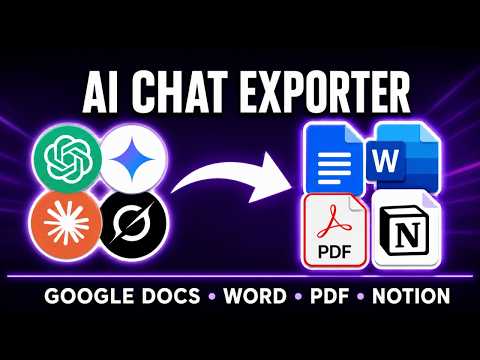
AI Chat Exporter lets you export chats from ChatGPT, Gemini, Claude, and Grok to PDF, Word, Markdown, Google Docs, or Notion.
AI Chat Exporter is an all-in-one AI conversation exporter that turns selected messages or entire conversations into ready-to-use documents in just a few clicks, without manual copying and pasting. Before exporting, you can customize the font family, font size, and text color, then continue editing, sharing, printing, archiving, or organizing the content in your preferred workspace. tự nhiên chưa ## KEY FEATURES ⚙️ ### Works across the AI platforms you already use AI Chat Exporter supports the following AI platforms: - ChatGPT: export answers, code, tables, and research sessions - Gemini: save chats for editing, sharing, printing, or documentation - Claude: export conversations, document Artifacts, and structured content - Grok: save chats and continue working with the content elsewhere There is no need for a separate exporter for every platform you use. ### Export AI chats to multiple formats AI Chat Exporter lets you choose the format that fits your workflow: - PDF: for printing, archiving, offline reading, or sharing - Word (.docx): for editing, formatting, or reusing the content - Google Docs: for collaboration and online editing - Markdown: for documentation, note-taking apps, publishing workflows, and developer use - Notion: for knowledge management, project planning, and organized notes ### Export selected messages or the full conversation - Export selected messages to save only the content you need - Export the full conversation to preserve complete context ### Full typography customization before export Before exporting, AI Chat Exporter lets you adjust the appearance of your document: - Choose the font family - Change the font size - Select the text color - Choose to export AI responses, prompts, or both This gives you more control than basic copy and paste, especially when exporting long AI conversations for work, study, documentation, or team sharing. ### Preserves rich conversation structure AI Chat Exporter is designed to preserve the structure of your AI conversations, including: - Regular text messages - Headings and formatted sections - Numbered and bulleted lists - Code blocks with readable formatting - Tables and structured outputs - Editable mathematical formulas and equations - Links and references - Long-form answers - Images and visual content - AI-generated documentation - Claude document Artifacts and other supported platform-specific content Content support may vary depending on the platform, conversation type, and export format. ### Fast and simple workflow AI Chat Exporter is designed to make exporting AI conversations straightforward: - Works directly on supported AI chat pages - Export in just a few clicks - No separate AI Chat Exporter account required - No API key required for standard chat export - Download or send the exported content to your chosen destination ## USE CASES 🎯 ### Writers and content creators Move article outlines, writing drafts, edited paragraphs, content briefs, video scripts, newsletter ideas, and content plans into your preferred document or workspace without manually copying each response. ### Researchers and analysts Archive research summaries, comparative analyses, market research, competitor research, data interpretations, and structured findings for future reference or collaboration. ### Developers and engineers AI Chat Exporter helps developers save coding sessions, debugging conversations, technical explanations, architecture plans, API notes, and code review discussions. Export AI coding conversations to Markdown for documentation, Word for editing, PDF for sharing, Google Docs for collaboration, or Notion for internal knowledge management. ### Students and academics Export AI conversations for studying, reviewing, printing, and organizing educational content. Use AI Chat Exporter to save: - Study notes - Explanations - Practice questions - Summaries - Learning plans - Essay outlines - Research discussions - Revision materials - Technical examples Save AI chat as PDF for offline reference or export it to Word and Google Docs for further editing. ### Professionals and teams AI Chat Exporter helps turn AI conversations into reusable business documents. Save meeting preparation, project plans, brainstorming sessions, marketing ideas, customer research, internal guidelines, process documentation, and team knowledge in a format that is easy to share. ### Knowledge management Build a personal or team library of prompts, answers, code examples, document Artifacts, and research findings outside the original chat. ## HOW TO EXPORT AI CHAT 🔍 1. Install AI Chat Exporter from the Chrome Web Store. 2. Open your AI chat platform and start or open a conversation. 3. Optionally customize the font family, font size, and text color. 4. Choose to export the full conversation or only selected messages. 5. Select PDF, Word, Google Docs, Markdown, or Notion and export. ## PERMISSIONS AND REQUIREMENTS 🔐 AI Chat Exporter only requests the access it needs to provide its export features: - Access to the AI chat page you choose to export - Download permission to save files to your device - Access to your chosen online workspace only when you select that type of export Conversation content is accessed only when needed to prepare the export you request. For full details on data handling, storage, and third-party integrations, please review the official Privacy Policy before installing. Requirements: Google Chrome, an active session on a supported AI platform, and an account with your chosen export destination if it requires one, such as Google Docs or Notion. ## WHY USE AI CHAT EXPORTER? 🚀 - One extension for all your AI conversation exports - Export to the format you need in just a few clicks - Export to PDF, Word, Google Docs, Markdown, or Notion - Save selected messages or complete conversations - Export supported Claude document Artifacts - Customize font, size, and color before exporting - Preserve text, lists, code blocks, tables, formulas, images, and structured content - Cut out repetitive copying and pasting - No separate account required - Regularly updated to maintain compatibility ## FREQUENTLY ASKED QUESTIONS ❓ ### What is AI Chat Exporter? AI Chat Exporter is a Chrome extension that lets you export AI conversations from ChatGPT, Gemini, Claude, and Grok to PDF, Word, Google Docs, Markdown, or Notion. ### Is AI Chat Exporter free? Yes. The free plan includes 7 full conversation exports and 10 selected message exports per month across all supported destinations. ### Which platforms are supported? ChatGPT, Gemini, Claude, and Grok are currently supported, with more platforms planned for future updates. ### Which export formats are available? PDF, Word (.docx), Google Docs, Markdown, and Notion. ### Does it support tables and structured content? Yes. AI Chat Exporter supports common AI conversation content such as tables, lists, headings, code blocks, links, images, mathematical formulas, document Artifacts, and structured responses. Results may vary depending on the platform and export format. ### Do I need an account? No separate AI Chat Exporter account is required, though some destinations require signing in to their own service. ### Can I use AI Chat Exporter for long conversations? Yes, though performance can vary depending on the conversation length, content complexity, and export format. ### Is my conversation uploaded during export? AI Chat Exporter only accesses the conversation content needed to create your export. Local file exports are processed on your device. When you choose Google Docs or Notion, the required content is sent to the selected service. See the Privacy Policy for full details. ## IMPORTANT LINKS 📌 - Official Website: https://backrun.co/ai-chat-exporter - Support and Feedback: hi@backrun.co - Privacy Policy: https://backrun.co/ai-chat-exporter-suite/privacy-policy.html - Report a Bug or Request a Feature: https://backrun.co/ai-chat-exporter-suite/contact.php - Documentation: https://backrun.co/ai-chat-exporter-suite/help.html ## CHANGELOG 🔄 ### Version 1.0.0, Initial release - Export chats from ChatGPT, Gemini, Claude, and Grok. - Export AI conversations to PDF, Word, Google Docs, Markdown, and Notion. - Select individual messages or export the full conversation. - Customize font family, font size, and text color. - Preserve formatting, mathematical equations, code blocks, lists, tables, links, and images. ## DISCLAIMER ⚠️ AI Chat Exporter is an independent third-party browser extension. It is not affiliated with, endorsed by, or officially connected to the developers of the platforms and services it supports. All product names, logos, and brands mentioned are trademarks of their respective owners.
4.7 out of 539 ratings
Details
- Version1.1.11
- UpdatedOctober 22, 2026
- Size381KiB
- Languages10 languages
- DeveloperWebsite
Email
info@slimsoft.vn - Non-traderThis developer has not identified itself as a trader. For consumers in the European Union, please note that consumer rights do not apply to contracts between you and this developer.
Privacy

AI Chat Exporter: Save to PDF, Word and More has disclosed the following information regarding the collection and usage of your data. More detailed information can be found in the developer's privacy policy.
AI Chat Exporter: Save to PDF, Word and More handles the following:
This developer declares that your data is
- Not being sold to third parties, outside of the approved use cases
- Not being used or transferred for purposes that are unrelated to the item's core functionality
- Not being used or transferred to determine creditworthiness or for lending purposes
Support
For help with questions, suggestions, or problems, visit the developer's support site