


Overview
Your AI assistant in a sidebar on any web page
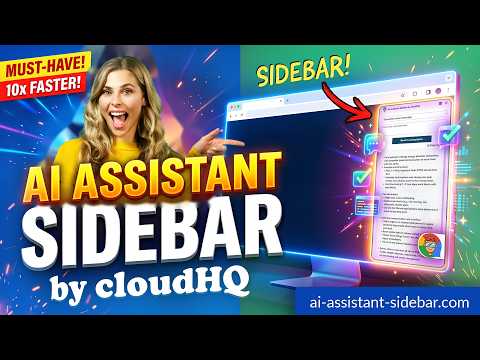
Welcome to AI Assistant Sidebar by cloudHQ, an AI assistant that emerges from the side of any webpage you browse. As you navigate different webpages, your email inbox, or any online document, AI Assistant Sidebar can be accessed with just a click of a button. The information you get with this handy sidebar provides you with straightforward knowledge about whatever it is that you're browsing. Whether you're deciphering a dense article, exploring new topics, or just casually browsing, AI Assistant Sidebar is designed to enrich your understanding, streamline information, and answer any queries you might have, immediately. How to use AI Assistant Sidebar? 1. Go to any website 2. Select the text 3. Click on the AI Assistant Sidebar icon on the right side of your screen, select the prompt and click on "Send to AI Assistant". ~~~~ 5 Benefits of AI Assistant Sidebar by cloudHQ ~~~~ 1. Use AI Assistant prompts across websites for tasks like: ✔️ Summarize ✔️ Rewrite ✔️ Check Grammar ✔️ Translate ✔️ Clarify code ✔️ Summarize the web page ✔️ Your own prompts 2. Access our ready-to-use prompt library, where you can further customize any prompts for your own needs. 3. Support for the latest OpenAI models 4. Full support for the OpenAI API 5. Full prompt management Refine your web experience with AI Assistant Sidebar, and become smarter in 1 click! 🌟 cloudHQ. Helping your productivity, 1 click at a time. cloudHQ website: https://www.cloudhq.net/ App website: https://www.ai-assistant-sidebar.com Pricing: https://www.ai-assistant-sidebar.com/pricing Support page: https://support.cloudhq.net/category/browser-extensions/ai-assistant-sidebar/ FAQ page: https://support.cloudhq.net/ai-assistant-sidebar-faq-frequently-asked-questions/ Blog: https://blog.cloudhq.net Google Chrome and Gmail are trademarks of Google LLC. Use of these trademarks is subject to Google Permissions. Microsoft and Microsoft Edge are trademarks of the Microsoft group of companies. ChatGPT and OpenAI are trademarks of OpenAI. cloudHQ is not affiliated with, endorsed by, or sponsored by OpenAI, Google, or Microsoft. cloudHQ is a trademark of cloudHQ LLC. https://www.cloudhq.net/trademark
5 out of 510 ratings
Details
- Version2.0.2.41
- UpdatedOctober 29, 2026
- Size1.98MiB
- Languages11 languages
- DevelopercloudHQWebsite
2247 29th Ave San Francisco, CA 94116-1738 USEmail
support@cloudhq.netPhone
+1 415-509-6721 - TraderThis developer has identified itself as a trader per the definition from the European Union and committed to only offer products or services that comply with EU laws.
- D-U-N-S064785518
Privacy

AI Assistant Sidebar by cloudHQ has disclosed the following information regarding the collection and usage of your data. More detailed information can be found in the developer's privacy policy.
AI Assistant Sidebar by cloudHQ handles the following:
This developer declares that your data is
- Not being sold to third parties, outside of the approved use cases
- Not being used or transferred for purposes that are unrelated to the item's core functionality
- Not being used or transferred to determine creditworthiness or for lending purposes
Support
For help with questions, suggestions, or problems, visit the developer's support site