

AI Answers Forms
17 个评分
)
概述
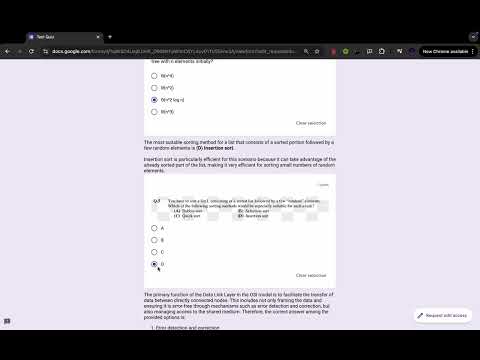
Solves Google forms Quiz using ChatGPT
This powerful Chrome extension allows you to effortlessly get answers to questions in Google Forms quizzes using ChatGPT. With the ability to fetch answers in real-time, this tool can significantly speed up your quiz-taking process. It also includes a convenient feature that lets you toggle between hiding and showing the answers, ensuring you can review and confirm responses as needed. Key Features: Instant Answers: Get immediate answers to quiz questions using ChatGPT's advanced AI capabilities. Hide/Show Answers: Toggle between displaying or hiding the answers to control your quiz-taking experience. User-Friendly: Simple, easy-to-use interface that works seamlessly with Google Forms. Time-Saving: Quickly complete quizzes with the assistance of ChatGPT, enhancing productivity. This extension is perfect for users looking to speed up the process of solving Google Forms quizzes, whether for learning or testing purposes. How to Use: 1. Install the Extension: - Click the "Add to Chrome" button on the Chrome Web Store to install the extension. 2. Open a Google Form: - Navigate to any Google Form where you want assistance. 3. Right-Click Anywhere on the Form: - Once on the form, right-click anywhere on the page to access the extension menu. 4. Use the Extension Options: - Get Answers: Select "AI Answers Forms > Get Answers" to fetch answers to all the questions using ChatGPT (Shortcut Key : ALT + G). - Show/Hide Answers: Toggle the display of answers on or off by selecting "AI Answers Forms > Show/Hide Answers" (Shortcut Key : ALT + H).
3.9 星(5 星制)17 个评分
详情
- 版本2.1.0
- 上次更新日期2025年11月12日
- 提供方Mani Shankar Jha
- 大小7.38KiB
- 语言English
- 开发者KIIT Bhubaneshwar, Odisha 751024 IN
邮箱
mjha34499@gmail.com - 非交易者该开发者尚未将自己标识为交易者。欧盟地区消费者须知:消费者权利可能不适用于您与该开发者达成的合约。
隐私权

该开发者已声明,您的数据:
- 不会因未获批准的用途出售给第三方
- 不会为实现与产品核心功能无关的目的而使用或转移
- 不会为确定信用度或放贷目的而使用或转移