

Aurora Reply — comment replies in your voice

Overview
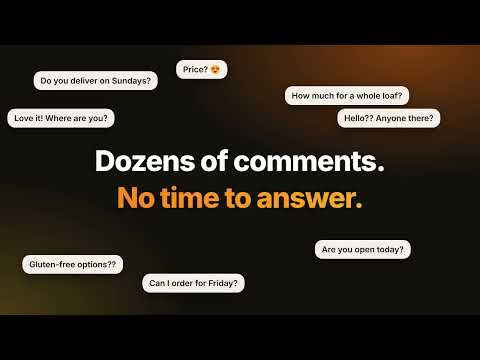
Drafts replies to comments, and captions for your posts, in your own voice. You read, edit and send everything yourself.
Aurora Reply writes replies to comments, new comments under posts, and captions for your own posts on Facebook, Instagram and TikTok, in your own voice. You read, edit and send or post everything yourself. Nothing is ever posted for you. HOW IT WORKS 1. Open a post that has comments (on Instagram and TikTok, open the comments first). A black ✦ Reply button appears in the corner of the page. 2. Press "Draft a reply" next to any comment. You get three options in your voice. 3. Or press "Draft a comment" to write a new comment under the post itself, in a style you pick: Friendly, Funny, Serious, Professional, Supportive or Curious. 4. Edit the one you like and press "Use this reply" (or "Use this comment"). On Facebook and Instagram it lands in that comment's reply box; on TikTok it is copied and you paste it (Ctrl+V). You press Send. SOUNDS LIKE YOU • Teach it your voice once: paste a few of your own replies, your business facts (hours, prices, delivery, links) and your tone • It only uses the facts you give it and never invents prices, dates or promises • Pick Friendly, Warm, Professional, Playful or Direct for replies, and Funny, Serious, Supportive or Curious for new comments — or add a hint like "thank them and mention Saturday" • Replies in the language of the comment, or the language you choose • Voice profiles for people who run several brands WRITE YOUR OWN POSTS TOO • Open the Write tab in the dashboard, describe a post and get 3 caption options, 3 hooks and hashtags for Instagram, TikTok or Facebook, in your voice • "Ideas from your comments" shows the questions your followers keep asking, found on your own computer from your history, so you can turn a question into a post in one click • Write uses the same credits as replies: one credit per set. You copy the text and post it yourself BUILT FOR BUSY PEOPLE • Reply to unanswered comments one by one — you approve each reply • Quick replies: your saved answers to common questions, one click and free • Keyboard shortcuts: Alt+R, Alt+1/2/3, Alt+G, Alt+N • Flags spam, abusive and sensitive comments so you can decide • Finds comments in English, French, Spanish, Portuguese, German, Italian, Dutch, Japanese, Chinese, Korean, Arabic, Russian, Turkish and more YOUR HISTORY, ON YOUR COMPUTER • Every draft is saved in your browser: search it, star favourites, copy, reuse, export to CSV or JSON, or delete it • A dashboard with your usage, time saved, activity and platform split — in light or dark PRIVATE BY DESIGN • It only reads a comment or a post when you press "Draft a reply" or "Draft a comment", and Write only sends what you type or the follower question you choose • It never presses Send, never reads private messages and never touches your password or cookies • The comment you choose, the post caption and your voice settings are sent to Aurora's server, which asks an AI service (Anthropic) to write the drafts. The server keeps only a count of drafts — not your comments or replies • Your history stays in your browser. Your voice profiles and quick replies are backed up to your Aurora key so a reinstall can restore them (you can turn this off) FREE TO START — AURORA ACCOUNT NEEDED Create a free account at getaurorastudios.com, copy your Aurora Reply key from My account and paste it into the extension. New accounts get a 3-day trial with every feature, then 10 free credits every month (one reply, or one Write set, is one credit). Need more? Buy a reply pack or a monthly plan at getaurorastudios.com/reply. Not affiliated with Facebook, Instagram, TikTok or Meta. Replies are suggestions — check them before you send and follow each platform's rules.
5 out of 57 ratings
Details
- Version1.2.0
- UpdatedOctober 24, 2026
- Size63.41KiB
- LanguagesEnglish (United States)
- DeveloperWidchy JoachimWebsite
195 -3 56th Ave Fresh Meadows Queens Village, NY 11429 USEmail
support@getaurorastudios.comPhone
+1 689-297-2116 - TraderThis developer has identified itself as a trader per the definition from the European Union and committed to only offer products or services that comply with EU laws.
Privacy

Aurora Reply — comment replies in your voice has disclosed the following information regarding the collection and usage of your data. More detailed information can be found in the developer's privacy policy.
Aurora Reply — comment replies in your voice handles the following:
This developer declares that your data is
- Not being sold to third parties, outside of the approved use cases
- Not being used or transferred for purposes that are unrelated to the item's core functionality
- Not being used or transferred to determine creditworthiness or for lending purposes
Support
For help with questions, suggestions, or problems, please open this page on your desktop browser