


Overview
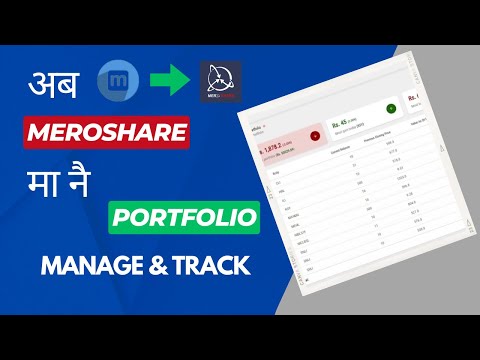
Advanced Widgets for MeroShare is a powerful Chrome extension that transforms your MeroShare experience
📈 Advanced Widgets for MeroShare — Supercharge Your Portfolio Experience Re-enable or re-install as v2 browsers or forked browsers like helium and brave disable automatically when new update is released. Transform your MeroShare portfolio into a powerful investment dashboard with real-time analytics, smart trading tools, and complete customization — all running securely in your browser. ⚠️ Disclaimer: This extension is an independent project and is not affiliated with, endorsed by, or connected to MeroShare, CDSC, or NEPSE in any way. Access to https://*.nepsetms.com.np/ is required only to redirect users when placing buy/sell orders. No data is sent from the extension—this is purely a navigation step. https://mutual-funds-nepal.vercel.app/ is used as a read-only data source for dashboard insights (e.g., mutual fund data and daily gainers and losers data) ━━━━━━━━━━━━━━━━━━━━━━━━━━━━━━ 💼 Portfolio Intelligence ✦ WACC Integration & Purchase Price Display — Automatically pull your Weighted Average Cost of Capital and purchase prices directly into your portfolio view for smarter decision-making. ✦ Instant Profit/Loss with Visual Indicators — See real-time P/L calculations with clear green/red color coding across daily and overall performance. ✦ Portfolio Summary Widgets — Five dashboard widgets showing total value, daily change, top gainer, top loser, and best/worst overall performers. ✦ Portfolio Pie Chart — Visualize how your investments are distributed across stocks at a glance. ✦ Customizable Table Columns — Toggle Cost Price, Total Investment, Daily P/L, Overall P/L, and P/L % columns to match your workflow. 🌐 Market Intelligence ✦ Market Pulse Dashboard — A dedicated page with Key Indices, Market Summary, Top Gainers/Losers, and Turnover leaders in one view. 🆕 ✦ Live NEPSE Index in Header — Real-time index value, change, and percentage displayed right in the navigation bar. 🆕 ✦ Market Status Indicator — Green/red signal showing whether the market is currently open or closed. ✦ Top Movers Pills — Compact gainer/loser badges in the header so you never miss market momentum. 🆕 ✦ Mutual Fund NAVs — Latest Net Asset Value for mutual funds shown alongside your portfolio. 🛒 Trading Tools ✦ Smart Buy/Sell Buttons — Quick-trade buttons that activate only during market hours with pre-filled price and quantity. ✦ Market Depth Buttons — One-click access to market depth data for any stock in your portfolio. 🆕 ✦ TMS Integration — Direct link to your selected Trading Management System with auto-filled order forms. ✦ Vendor Quick Access — Connect to 10 financial research sites (ShareSansar, MeroLagani, and more) with one click. ✦ Report Links — Click any stock symbol to instantly view company reports from your preferred vendor. 🆕 📊 Analysis & Tracking ✦ Transaction Balance History Graph — Interactive line chart tracking your portfolio balance over time. 🆕 ✦ Holding Days Tracker — See exactly how many days you have held each stock in the My Transactions section. ✦ Stop/Loss Highlighter — Rows turn red or green based on your configured stop-loss threshold. ✦ Sortable Columns — Click any column header to sort your portfolio for quick analysis. ✦ One-Click PDF Export — Press Ctrl + P for a print-ready portfolio snapshot. ⚙️ Customization & Controls ✦ 21+ Configurable Settings — Fine-tune every feature through a built-in settings panel with five organized categories: Portfolio Enhancements, Table Columns, Market Information, UI Controls, and Additional Features. 🆕 ✦ Privacy Blur Toggle — One click to blur all portfolio values when someone is looking over your shoulder. 🆕 ✦ WACC Alerts & Reminders — Automatic nudges to keep your WACC data current so your P/L stays accurate. 🆕 ✦ Responsive Design — Works on all screen sizes. ━━━━━━━━━━━━━━━━━━━━━━━━━━━━━━ 🔒 Privacy & Security Your trust matters. This extension is built with privacy as a core principle: ✅ All data is stored locally in your browser using Chrome's secure storage API. ✅ Zero external data transmission — your portfolio data never leaves your device. ✅ No account creation, no tracking, no analytics. ✅ Fully compliant with Chrome Web Store security standards. ✅ Open to inspection — remove and reinstall at any time to verify. ━━━━━━━━━━━━━━━━━━━━━━━━━━━━━━ 🚀 Getting Started 1️⃣ Install the extension from the Chrome Web Store. 2️⃣ Log in to your MeroShare account. 3️⃣ Go to My Purchase Source and calculate your WACC for all stocks. 4️⃣ Open your portfolio — enhanced data appears automatically. ━━━━━━━━━━━━━━━━━━━━━━━━━━━━━━ ❓ Frequently Asked Questions Q: Is this associated with CDSC or MeroShare? A: No. This is an independent project built to improve the MeroShare experience. Q: Why doesn't it account for broker commission? A: Broker commission only applies after selling and varies based on stock total values and selling quantities. Including it before a sale would be inaccurate. Q: Is it secure? A: Yes. All data processing happens locally in your browser. Nothing is sent to external servers. The extension uses only Chrome's built-in storage API. Q: My antivirus flagged the extension. Why? A: New or less-known extensions occasionally trigger false positives. This is common and not an indication of any actual threat. See Google's support article for details. Q: The extension includes sold units in WACC. Is this correct? A: Please revisit My Purchase Source and recalculate. The extension reads WACC data as provided by MeroShare and does not track individual buy/sell transactions. Q: Is it available for other browsers? A: Firefox version is available on the project website. For other Chromium-based browsers (Edge, Brave, Opera), use the Chrome Web Store version. ━━━━━━━━━━━━━━━━━━━━━━━━━━━━━━ 🆘 Support 🐦 Twitter: https://twitter.com/sumfreelancer 📧 Email: summonshr@gmail.com
4.9 out of 5151 ratings
Details
- Version3.1.0
- UpdatedApril 21, 2026
- Size78.79KiB
- LanguagesEnglish
- DeveloperWebsite
Email
summonshr@gmail.com - Non-traderThis developer has not identified itself as a trader. For consumers in the European Union, please note that consumer rights do not apply to contracts between you and this developer.
Privacy

This developer declares that your data is
- Not being sold to third parties, outside of the approved use cases
- Not being used or transferred for purposes that are unrelated to the item's core functionality
- Not being used or transferred to determine creditworthiness or for lending purposes
Support
For help with questions, suggestions, or problems, please open this page on your desktop browser