

Adobe Acrobat: PDF edit, convert, sign tools

Pangkalahatang-ideya
Do more in Google Chrome with Adobe Acrobat PDF tools. View, fill, comment, sign, and try convert and compress tools.
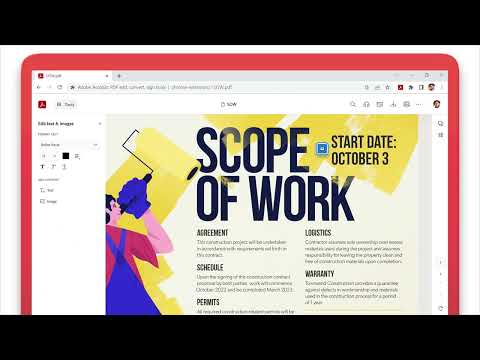
Adobe Acrobat is the industry-leading PDF solution, used by millions of people. Use Acrobat PDF tools right in Google Chrome to get the best PDF viewing experience and get more done while browsing. You can add comments to PDFs, including sticky notes, text, and highlights—all for free. If you need more advanced Acrobat features, you can try tools to export to and from PDF, create a PDF, merge PDF documents, organize a PDF, reduce PDF size, and more. Working with PDFs online has never been so easy. HOW TO USE THE ACROBAT CHROME EXTENSION 1. Install the Acrobat extension for Chrome. 2. Pin the extension for quick access. 3. Open any PDF in your browser. 4. Select an Acrobat tool. VIEW, DOWNLOAD, PRINT, and STORE PDFs • Get the best PDF viewing experience with the Acrobat PDF reader. • Download or print with a quick click. • Sign in to store your files online for fast access to PDF files from anywhere. EDIT PDFs WITH COMMENTS FOR FREE • Add PDF notes, text, and comments, including sticky notes and highlights. • Write on PDF documents by adding text or drawings using PDF editor features. FILL AND SIGN FORMS FOR FREE • Open a PDF in Adobe Acrobat Reader to fill and sign forms on your desktop. • Easily complete PDF forms with the Acrobat form filler feature. • E-sign documents with your signature or initials. TRY TOOLS TO BE MORE PRODUCTIVE IN CHROME Try premium tools for even more PDF power. • Use our PDF converter tool to convert PDFs to and from Microsoft Word, Excel, and PowerPoint, as well as JPG and other file formats. • Create a PDF from a document or image, including converting JPG to PDF. • Combine files into a single PDF file or split a PDF. • Organize your PDF. Delete, rotate, or reorder PDF pages. • Compress a PDF to reduce its file size. • Send documents to others to e-sign online fast. • Protect a PDF document by adding a password. You can also sign up for a free trial at https://www.adobe.com/tryacrobat. WHAT’s NEW: • Edit your PDFs in Acrobat Chrome Viewer • Fill and Sign forms for free • Support for opening local PDF files in extension Terms & Conditions: Your use of this application is governed by the Adobe General Terms of Use (http://www.adobe.com/go/terms_en) and the Adobe Privacy Policy (http://www.adobe.com/go/privacy_policy_en) and any successor versions thereto.
4.4 sa 561K rating
Mga Detalye
- Bersyon26.2.2.0
- Na-updateMarso 2, 2026
- Laki4.71MiB
- Mga Wika28 (na) wika
- DeveloperAdobe, Inc.Website
345 Park Ave San Jose, CA 95110 USEmail
chrome-support@adobe.comTelepono
+1 408-536-6000 - TraderTinukoy ng developer na ito ang kanyang sarili bilang trader ayon sa kahulugan mula sa European Union at nakatuon na mag-alok lang ng mga produkto o serbisyo na sumusunod sa mga batas ng EU.
- D-U-N-S102096559
Privacy

Inihayag ng Adobe Acrobat: PDF edit, convert, sign tools ang sumusunod na impormasyon tungkol sa pagkolekta at paggamit ng iyong data. Makikita ang mas detalyadong impormasyon sa privacy policy ng developer.
Pinapangasiwaan ng Adobe Acrobat: PDF edit, convert, sign tools ang sumusunod:
Ipinapahayag ng developer na ito na ang iyong data ay
- Hindi ibinebenta sa mga third party na hindi kabilang sa mga naaprubahang sitwasyon ng paggamit
- Hindi ginagamit o inililipat para sa mga layuning hindi nauugnay sa pangunahing functionality ng item
- Hindi ginagamit o inililipat para tukuyin ang pagiging creditworthy o para sa mga layunin ng pagpapautang
Suporta
Para sa tulong sa mga tanong, suhestyon, o problema, bisitahin ang site ng suporta ng developer