

Adobe Acrobat: PDF edit, convert, sign tools

Muhtasari
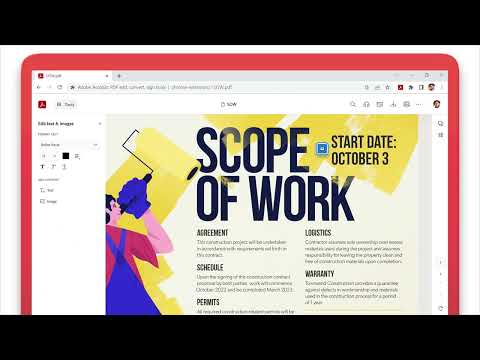
Do more in Google Chrome with Adobe Acrobat PDF tools. View, fill, comment, sign, and try convert and compress tools.
Adobe Acrobat is the industry-leading PDF solution, used by millions of people. Use Acrobat PDF tools right in Google Chrome to get the best PDF viewing experience and get more done while browsing. You can add comments to PDFs, including sticky notes, text, and highlights—all for free. If you need more advanced Acrobat features, you can try tools to export to and from PDF, create a PDF, merge PDF documents, organize a PDF, reduce PDF size, and more. Working with PDFs online has never been so easy. HOW TO USE THE ACROBAT CHROME EXTENSION 1. Install the Acrobat extension for Chrome. 2. Pin the extension for quick access. 3. Open any PDF in your browser. 4. Select an Acrobat tool. VIEW, DOWNLOAD, PRINT, and STORE PDFs • Get the best PDF viewing experience with the Acrobat PDF reader. • Download or print with a quick click. • Sign in to store your files online for fast access to PDF files from anywhere. EDIT PDFs WITH COMMENTS FOR FREE • Add PDF notes, text, and comments, including sticky notes and highlights. • Write on PDF documents by adding text or drawings using PDF editor features. FILL AND SIGN FORMS FOR FREE • Open a PDF in Adobe Acrobat Reader to fill and sign forms on your desktop. • Easily complete PDF forms with the Acrobat form filler feature. • E-sign documents with your signature or initials. TRY TOOLS TO BE MORE PRODUCTIVE IN CHROME Try premium tools for even more PDF power. • Use our PDF converter tool to convert PDFs to and from Microsoft Word, Excel, and PowerPoint, as well as JPG and other file formats. • Create a PDF from a document or image, including converting JPG to PDF. • Combine files into a single PDF file or split a PDF. • Organize your PDF. Delete, rotate, or reorder PDF pages. • Compress a PDF to reduce its file size. • Send documents to others to e-sign online fast. • Protect a PDF document by adding a password. You can also sign up for a free trial at https://www.adobe.com/tryacrobat. WHAT’s NEW: • Edit your PDFs in Acrobat Chrome Viewer • Fill and Sign forms for free • Support for opening local PDF files in extension Terms & Conditions: Your use of this application is governed by the Adobe General Terms of Use (http://www.adobe.com/go/terms_en) and the Adobe Privacy Policy (http://www.adobe.com/go/privacy_policy_en) and any successor versions thereto.
4.4 kati ya 5Ukadiriaji elfu 61
Maelezo
- Toleo26.3.2.0
- Imesasishwa31 Machi 2026
- Ukubwa4.76MiB
- LughaLugha 28
- Wasanidi ProgramuAdobe, Inc.Tovuti
345 Park Ave San Jose, CA 95110 USBarua pepe
chrome-support@adobe.comSimu
+1 408-536-6000 - MchuuziMsanidi programu huyu amejitambulisha kuwa mchuuzi kulingana na ufafanuzi wa Umoja wa Ulaya na ameahidi kutoa tu bidhaa au huduma zinazotii sheria za Umoja wa Ulaya.
- D-U-N-S102096559
Faragha

Adobe Acrobat: PDF edit, convert, sign tools amefumbua maelezo yafuatayo kuhusu ukusanyaji na utumiaji wa data yako. Maelezo ya kina zaidi yanaweza kupatikana kwenye privacy policy ya msanidi programu.
Adobe Acrobat: PDF edit, convert, sign tools inashughulikia yafuatayo:
Msanidi programu huyu anabainisha kwamba data yako
- Haiuzwi kwa watoa huduma wengine, nje ya hali za matumizi zilizoidhinishwa
- Haitumiwi wala kuhamishwa kwa madhumuni ambayo hayahusiani na utendaji mkuu wa kipengee
- Haitumiwi wala kuhamishwa kwa nia ya kubaini kama unastahili kupokea mkopo au kwa madhumuni ya ukopeshaji
Usaidizi
Ili upate usaidizi ukiwa na maswali, mapendekezo au matatizo, tembelea tovuti ya usaidizi kwa wasanidi programu