

Adobe Acrobat: PDF edit, convert, sign tools

نمای کلی
Do more in Google Chrome with Adobe Acrobat PDF tools. View, fill, comment, sign, and try convert and compress tools.
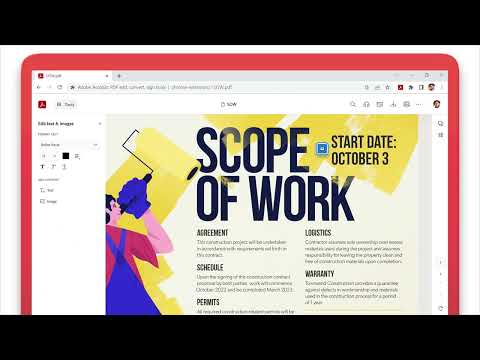
Adobe Acrobat is the industry-leading PDF solution, used by millions of people. Use Acrobat PDF tools right in Google Chrome to get the best PDF viewing experience and get more done while browsing. You can add comments to PDFs, including sticky notes, text, and highlights—all for free. If you need more advanced Acrobat features, you can try tools to export to and from PDF, create a PDF, merge PDF documents, organize a PDF, reduce PDF size, and more. Working with PDFs online has never been so easy. HOW TO USE THE ACROBAT CHROME EXTENSION 1. Install the Acrobat extension for Chrome. 2. Pin the extension for quick access. 3. Open any PDF in your browser. 4. Select an Acrobat tool. VIEW, DOWNLOAD, PRINT, and STORE PDFs • Get the best PDF viewing experience with the Acrobat PDF reader. • Download or print with a quick click. • Sign in to store your files online for fast access to PDF files from anywhere. EDIT PDFs WITH COMMENTS FOR FREE • Add PDF notes, text, and comments, including sticky notes and highlights. • Write on PDF documents by adding text or drawings using PDF editor features. FILL AND SIGN FORMS FOR FREE • Open a PDF in Adobe Acrobat Reader to fill and sign forms on your desktop. • Easily complete PDF forms with the Acrobat form filler feature. • E-sign documents with your signature or initials. TRY TOOLS TO BE MORE PRODUCTIVE IN CHROME Try premium tools for even more PDF power. • Use our PDF converter tool to convert PDFs to and from Microsoft Word, Excel, and PowerPoint, as well as JPG and other file formats. • Create a PDF from a document or image, including converting JPG to PDF. • Combine files into a single PDF file or split a PDF. • Organize your PDF. Delete, rotate, or reorder PDF pages. • Compress a PDF to reduce its file size. • Send documents to others to e-sign online fast. • Protect a PDF document by adding a password. You can also sign up for a free trial at https://www.adobe.com/tryacrobat. WHAT’s NEW: • Edit your PDFs in Acrobat Chrome Viewer • Fill and Sign forms for free • Support for opening local PDF files in extension Terms & Conditions: Your use of this application is governed by the Adobe General Terms of Use (http://www.adobe.com/go/terms_en) and the Adobe Privacy Policy (http://www.adobe.com/go/privacy_policy_en) and any successor versions thereto.
۴٫۴ از ۵۶۱ هزار ردهبندی
جزئیات
- نسخه26.5.1.0
- تاریخ بهروزرسانی۲۲ اردیبهشت ۱۴۰۵
- اندازه5.15MiB
- زبانها۲۸ زبان
- توسعهدهندهAdobe, Inc.وبسایت
345 Park Ave San Jose, CA 95110 USایمیل
chrome-support@adobe.comتلفن
+1 408-536-6000 - معاملهگراین توسعهدهنده طبق تعریف اتحادیه اروپا، خود را بهعنوان تاجر معرفی کرده است و متعهد شده است فقط محصولات یا سرویسهایی را ارائه دهد که در راستای قوانین اتحادیه اروپا هستند.
- D-U-N-S102096559
حریم خصوصی

Adobe Acrobat: PDF edit, convert, sign tools اطلاعات زیر را برای شفافسازی درخصوص جمعآوری و استفاده از دادههایتان ارائه کرده است. اطلاعات دقیقتر را میتوانید در privacy policy توسعهدهنده پیدا کنید.
Adobe Acrobat: PDF edit, convert, sign tools مورد زیر را مدیریت میکند:
این توسعهدهنده اعلام میکند که دادههای شما
- خارج از موارد استفاده تأییدشده، به اشخاص ثالث فروخته نمیشود
- برای اهداف نامرتبط با عملکرد اصلی مورد استفاده یا منتقل نمیشود
- برای تعیین اعتبارمندی یا برای اهداف وامدهی استفاده یا منتقل نمیشود
پشتیبانی
برای دریافت راهنمایی درباره سؤالها، پیشنهادها، یا مشکلات، از سایت پشتیبانی توسعهدهنده بازدید کنید