


Overview
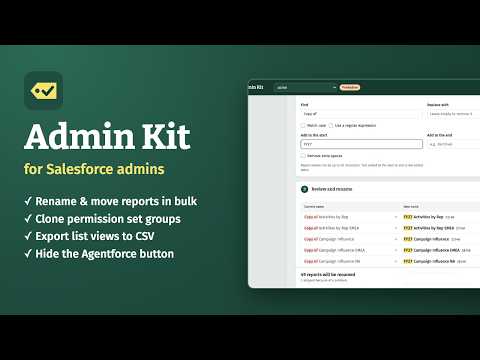
Bulk move, rename and clean up reports, export list views, list and related list sorts, clone permission set groups.
Admin Kit for Salesforce fixes small things Salesforce admins have asked for on IdeaExchange for years. It works with Salesforce Lightning, in your browser, with the login you already have. Rename reports in bulk Find and replace across many report names, add text to the start or end, and see every new name highlighted before anything changes. Names over the limit are flagged. Undo any batch from History, or download the results. Move reports Move many reports to another folder in one go, instead of opening each one. Preview first, undo any batch. Clean up reports Find reports nobody has run in months and reports left behind by people who have left. Download the list, archive them, or hand them over by moving them to a shared folder. List view default sorts Choose how a list view is sorted the first time people open it, for example All Open Leads by Created Date, newest first. Share the rules with your team; everyone with Admin Kit gets them. People can still re-sort. Related list default sorts Choose how related lists on record pages are sorted, such as Contacts on an Account by last name. Export list view Download any list view as a CSV file with the same columns, filters and sort. Narrow it down with extra filters and see how many rows match before you download. Only for people your org allows to export. Clone permission set group Copy a permission set group, with its permission sets and mutes, under a new name. The copy is assigned to no one. Agentforce button Hide the Agentforce button in the Lightning header, everywhere or only in the apps where your team doesn't use it. Owner-change email Decide whether "Send notification email" starts ticked when someone changes a record owner. Set it for all objects, with exceptions per object. Safe in production In a production org, Admin Kit changes only report names you rename after a preview and new permission set groups you clone. Exporting and finding reports only read. Moving reports and sorts work in sandboxes, developer and scratch orgs. Private by design - Talks only to your own Salesforce org. No servers, analytics or tracking. - Never stores your Salesforce session. - Settings stay in your browser. How to start: open Salesforce Lightning in Chrome and click the Admin Kit icon in the toolbar. Support: support@jyoitconsulting.com Admin Kit for Salesforce is not affiliated with or endorsed by Salesforce, Inc. Salesforce, Lightning and Agentforce are trademarks of Salesforce, Inc.
0 out of 5No ratings
Details
- Version1.0.0
- UpdatedNovember 23, 2026
- Size261KiB
- LanguagesEnglish
- DeveloperJYO IT Consulting LTDWebsite
11004 Kingston St Maple Ridge, BC V2X 9P9 CAEmail
admin@jyoitconsulting.comPhone
+1 778-954-9507 - TraderThis developer has identified itself as a trader per the definition from the European Union and committed to only offer products or services that comply with EU laws.
- D-U-N-S243380095
Privacy

Admin Kit for Salesforce has disclosed the following information regarding the collection and usage of your data. More detailed information can be found in the developer's privacy policy.
Admin Kit for Salesforce handles the following:
This developer declares that your data is
- Not being sold to third parties, outside of the approved use cases
- Not being used or transferred for purposes that are unrelated to the item's core functionality
- Not being used or transferred to determine creditworthiness or for lending purposes
Support
For help with questions, suggestions, or problems, visit the developer's support site