

Add to gCal
10 ocen
)
Przegląd
Parses text and adds an event to a user's Google Calendar.
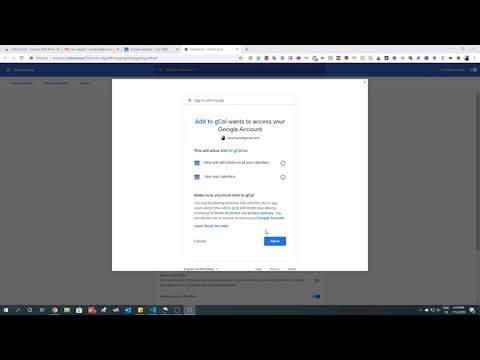
🔃 Remember to refresh your page or restart Chrome after installing. 📅 Lets you highlight an event like 'call with the team tomorrow at 3pm on Zoom' and with the click of a button, add the parsed event to any of your Google Calendars. It'll recognize that the event name is 'call with the team,' the time is 7/3/2020 (the next day) at 3pm, and the location is Zoom. 📅 Especially useful for emails that don't include an 'Add to calendar' button. 👆 In order to use Add to gCal, right-click on the extension icon (the blue calendar) after downloading, click "Options," connect your Google Calendar, and finally grant permissions. ⌨ Shortcut: after highlighting an event, press and hold Ctrl+Shift+F on Windows, ChromeOS, and Linux or Command+Shift+F on Mac to open the event menu instantly. ✅ Made the extension because the alternatives that I've tried on the web store are non-functional or don't handle location well. ✅ Note that Add to gCal will only ever add an event that you deliberately specify to a calendar that you deliberately specify. Furthermore, the extension does not store any personally identifying information, event information, or account information. 👩💻 Developers: The serverless API (AWS Lambda) that this extension communicates with has no database attached to it in the first place which ensures that no information is stored. No logging of event information takes place on the server either. 🔏 To clarify all of this, the extension's privacy policy and terms of service can be found at https://addtogcal.herokuapp.com/privacy-policy.
3,4 na 510 ocen
Szczegóły
- Wersja3.7.6
- Zaktualizowano26 sierpnia 2020
- SprzedawcaChris Barkachi
- Rozmiar52.94KiB
- JęzykiEnglish
- Deweloper
E-mail
barkachi@princeton.edu - Osoba niebędąca przedsiębiorcąTen deweloper nie określił, że jest przedsiębiorcą. Pamiętaj, że prawa konsumentów nie obowiązują w przypadku umów zawartych między tym deweloperem a konsumentami z Unii Europejskiej.
Prywatność

Pomoc
Jeśli masz pytania, sugestie lub problemy, otwórz tę stronę w przeglądarce na komputerze