

RowPilot – Fill web forms from a spreadsheet

Overview
Fills web forms from your spreadsheet one row at a time, attaches files, checks the data first and tracks what's done.
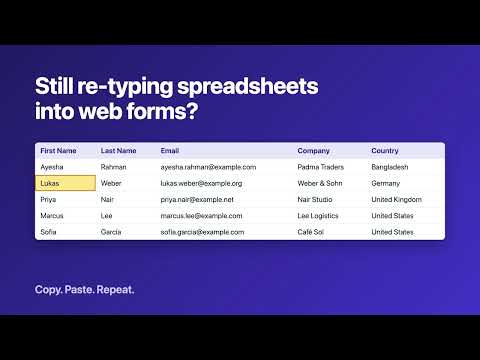
RowPilot fills web forms from your spreadsheet, one row at a time. It's built for the portals and back-office systems that have no import button, so you can stop copying the same records across by hand. How it works: Load a CSV or Excel file, or paste rows from any spreadsheet. Open the form and click the RowPilot icon. It reads the form and suggests a column for each field. Check your rows. RowPilot lists empty required fields, bad email addresses, numbers over the limit and values the form doesn't offer. Click Fill, review the page, submit it yourself, and move to the next row. What it fills: Text, email, number and date fields, dropdowns, radio buttons, checkboxes, long text, rich text boxes and file uploads, including forms with several steps on one site. It handles the fiddly parts: Dates such as 31/12/2026 or Dec 31 2026 are converted to what the form expects. Numbers such as $1,234.50 and 1.234,56 are cleaned up. "Morocco" finds the right dropdown choice even if the form stores it as "MA". Free: Up to 25 rows per file, CSV and pasted rows, column matching, row checks and progress tracking. Pro ($12 a month, with a 7-day trial on every install): Unlimited rows, Excel files, attaching each row's file from a folder, saved setups for each page and a downloadable progress log. You stay in control: RowPilot never submits a form. It skips password and card number fields and doesn't solve CAPTCHAs. Please check that the site you're using allows this kind of help. Current limits: Forms inside frames and custom controls that aren't real form fields may not fill. Privacy: Your spreadsheet and files stay on your computer and go only into the page you ask RowPilot to fill. Row values are forgotten when Chrome closes. RowPilot only reaches a page after you click its icon there, and it has no analytics. The only thing sent off your device is your Pro license key, to confirm it with our payment provider. More information and guides: https://tanz645.github.io/rowpilot/ Support: xooffer@gmail.com
0 out of 5No ratings
Details
- Version0.1.0
- UpdatedNovember 2, 2026
- FeaturesOffers in-app purchases
- Offered bytanzibbdc@gmail.com
- Size33.05KiB
- LanguagesEnglish
- Developer
Email
xooffer@gmail.com - Non-traderThis developer has not identified itself as a trader. For consumers in the European Union, please note that consumer rights do not apply to contracts between you and this developer.
Privacy

RowPilot – Fill web forms from a spreadsheet has disclosed the following information regarding the collection and usage of your data. More detailed information can be found in the developer's privacy policy.
RowPilot – Fill web forms from a spreadsheet handles the following:
This developer declares that your data is
- Not being sold to third parties, outside of the approved use cases
- Not being used or transferred for purposes that are unrelated to the item's core functionality
- Not being used or transferred to determine creditworthiness or for lending purposes