Item logo image for AceJump - jump to any visible text with the keyboard

AceJump - jump to any visible text with the keyboard

Item video thumbnail

Overview

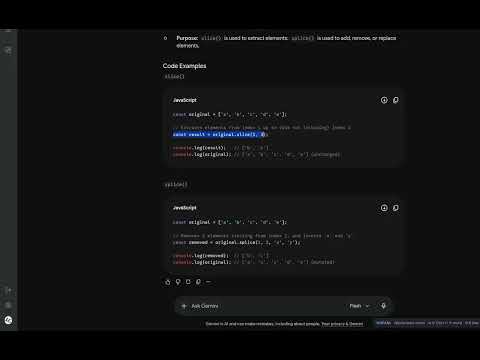
Jump to any visible text with the keyboard (AceJump / Vimium style) and select it in caret mode.

Are you tired of using your mouse when selecting something in the browser? AceJump is a tool that allows you to jump directly to the text you need and select it using vim-like or vanilla selection shortcuts.

Details

  • Version
    1.0.1
  • Updated
    October 28, 2026
  • Offered by
    mikitos813@gmail.com
  • Size
    31.73KiB
  • Languages
    English
  • Developer
    Email
    mikitos813@gmail.com
  • Non-trader
    This developer has not identified itself as a trader. For consumers in the European Union, please note that consumer rights do not apply to contracts between you and this developer.

Privacy

Manage extensions and learn how they're being used in your organization
The developer has disclosed that it will not collect or use your data. To learn more, see the developer’s privacy policy.

This developer declares that your data is

  • Not being sold to third parties, outside of the approved use cases
  • Not being used or transferred for purposes that are unrelated to the item's core functionality
  • Not being used or transferred to determine creditworthiness or for lending purposes

Related

Vimput - Modal editing in chrome

0.0

Simulate arrow keys and text editing keys using vim-style bindings.

JK Enter

0.0

Navigate search results with vim-like keyboard shortcuts (j/k/Enter)

Vim Motions for Chrome

5.0

Vim-style keybindings for efficient text navigation and editing in browser inputs.

Heroes Cursor

5.0

Pick a cursor style and apply it while you browse.

Tab Flash

0.0

Jump to any open tab in the current window by typing a dynamically generated key label, inspired by vim flash.

Twittervim

0.0

Navigate X (Twitter) using vim-style keyboard shortcuts

Simple Vim Scrolling

0.0

Navigate pages using vim-style keyboard shortcuts

TypeQuicker

5.0

Practice typing with any highlighted text on the web. Browser extension by TypeQuicker.

Velink

0.0

Keyboard-first browsing with fast Vim-style navigation on every regular website.

Tab Jump List

5.0

Navigate through your tabs with ease with a Vim-like tab jump list

Modeless Keyboard Navigation

3.7

Modeless keyboard navigation based on Vimium.

BhBp.bg-GOOGLE-Chrome Selected Text Magnifier

0.0

Enlarge selected text with a keyboard shortcut.

Vimput - Modal editing in chrome

0.0

Simulate arrow keys and text editing keys using vim-style bindings.

JK Enter

0.0

Navigate search results with vim-like keyboard shortcuts (j/k/Enter)

Vim Motions for Chrome

5.0

Vim-style keybindings for efficient text navigation and editing in browser inputs.

Heroes Cursor

5.0

Pick a cursor style and apply it while you browse.

Tab Flash

0.0

Jump to any open tab in the current window by typing a dynamically generated key label, inspired by vim flash.

Twittervim

0.0

Navigate X (Twitter) using vim-style keyboard shortcuts

Simple Vim Scrolling

0.0

Navigate pages using vim-style keyboard shortcuts

TypeQuicker

5.0

Practice typing with any highlighted text on the web. Browser extension by TypeQuicker.

Search
Clear search
Close search
Google apps
Main menu