

AccessMate Accessibility Checker

Overview
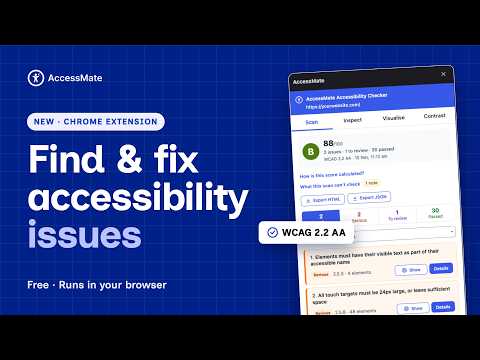
Check the page you're on against automated WCAG 2.2 A and AA rules. Runs locally: page content never leaves your browser.
AccessMate is a free accessibility checker for Chrome. Scan any web page against WCAG 2.2 AA, see what screen reader users hear, simulate low vision and colour blindness, and check colour contrast, all from the side panel. Results take seconds, and nothing leaves your browser. AccessMate finds the barriers that stop people using a page: missing alt text, unlabelled buttons and form fields, small touch targets, broken heading structure, low-contrast text and more. For every issue it shows the affected elements and what to change. ★ ACCESSIBILITY SCAN (WCAG 2.2 AA) • Accessibility score out of 100 • Issues ranked by severity, plus items to review and checks passed • Filter results by severity or category • Highlight failing elements right on the page • See what automated testing can't check, so you know what to test by hand • Export reports as HTML or JSON for audits, tickets and clients ★ CLEAR ISSUE DETAILS • Every affected element, with its CSS selector and code • A plain-language explanation of why it fails • Links to the relevant WCAG success criterion and guidance ★ SCREEN READER VIEW • Heading outline in page order, with missing or skipped levels flagged • Landmarks, images, form fields and accessible names, each with problem counts • Find images with no alt text and check which are marked decorative ★ VISUALISE AND SIMULATE • Overlay issues, headings, landmarks, keyboard tab order and alt text on the page • Colour blindness simulator: protanopia, deuteranopia, tritanopia, achromatopsia • Blurred vision and low contrast sensitivity simulation • WCAG 1.4.12 text spacing test • Only you see these changes, and they're removed when you close the panel ★ COLOUR CONTRAST CHECKER • Pick any text on the page, or enter hex colours • Contrast ratio with AA / AAA pass or fail for normal text, large text and UI components • Suggested passing colours that keep the original hue where possible ★ BUILT FOR Web developers, designers, content editors, QA testers and accessibility specialists. Use it for pre-release checks, design reviews, ADA and European Accessibility Act (EAA) preparation, and client reporting. ★ PRIVATE BY DESIGN • Every check runs locally in your browser • Page content is never sent anywhere • No account or sign-up Automated tools can't catch every barrier. For full coverage, also test with a keyboard and a screen reader, and get feedback from disabled people. More free accessibility tools: https://accessmate.ai/tools Support: support@accessmate.ai
5 out of 52 ratings
Details
- Version0.1.1
- UpdatedNovember 22, 2026
- Size337KiB
- LanguagesEnglish (United States)
- DeveloperAwsm Digital Innovations Pvt LtdWebsite
9i, Condor Cybergardens Iris, Kulathur Thiruvananthapruam, Kerala 695583 INEmail
hello@awsm.inPhone
+91 97460 64976 - TraderThis developer has identified itself as a trader per the definition from the European Union and committed to only offer products or services that comply with EU laws.
Privacy

This developer declares that your data is
- Not being sold to third parties, outside of the approved use cases
- Not being used or transferred for purposes that are unrelated to the item's core functionality
- Not being used or transferred to determine creditworthiness or for lending purposes
Support
For help with questions, suggestions, or problems, please open this page on your desktop browser