


Overview
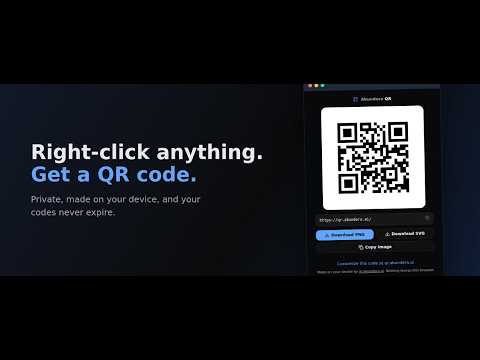
Turn any page, link, or selected text into a QR code. Private, made on your device, and your codes never expire.
Right-click anything, get a QR code. Abundera QR adds one thing to your browser and does it well: a right-click menu that turns the current page, any link, or any selected text into a QR code. Click the toolbar button and you get a code for the tab you are on. The code is generated on your device by the same engine that powers qr.abundera.ai. There is no server call, no account, no analytics, and no tracking pixel. Airplane mode works fine. What you encode is your business. What you can do with it: - Send an article from your desktop to your phone in one scan - Put a long link on a slide, a whiteboard photo, or a printout - Turn selected text (an address, a reference number, WiFi details) into a scannable code - Download the code as PNG or SVG, or copy it straight to the clipboard Codes made here are permanent. They encode your content directly, so they never expire and nothing can turn them off. Need colors, logos, WiFi/vCard formats, or batch generation from a spreadsheet? The full generator at qr.abundera.ai does all of that, free, in 26 languages, also entirely in your browser.
5 out of 51 rating
Details
- Version1.0.1
- UpdatedJuly 18, 2026
- Size728KiB
- Languages26 languages
- DeveloperWebsite
Email
support@abundera.ai - Non-traderThis developer has not identified itself as a trader. For consumers in the European Union, please note that consumer rights do not apply to contracts between you and this developer.
Privacy

This developer declares that your data is
- Not being sold to third parties, outside of the approved use cases
- Not being used or transferred for purposes that are unrelated to the item's core functionality
- Not being used or transferred to determine creditworthiness or for lending purposes
Support
For help with questions, suggestions, or problems, visit the developer's support site