


Overview
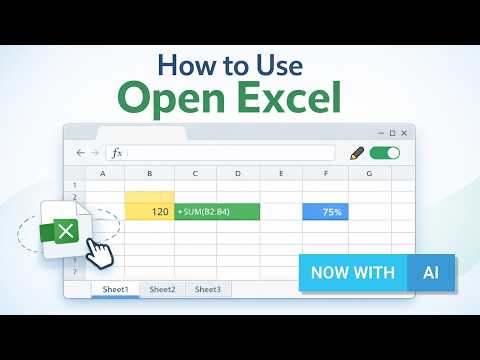
AI Excel viewer & editor. Open .xlsx/.xls/.csv files in browser, edit and save locally. AI tools for formulas and data cleaning.
Open Excel is a fast, lightweight Excel viewer and editor for your browser. Open .xlsx, .xls and .csv files without Microsoft Excel, work with multi-sheet spreadsheets, edit cells and formulas, save your work locally, and use AI tools to understand, clean and improve spreadsheet data. Designed for everyday Excel tasks, Open Excel helps you view, edit, review and export spreadsheets directly from Chrome. ✔ What you can do ✦ Open Excel files in your browser Open .csv, .xlsx and .xls files by drag & drop or file picker. View multi-sheet workbooks and zoom for comfortable reading. ✦ Edit spreadsheets Enable editing with a quick sign-in and work with common spreadsheet actions: cell editing, formulas, basic formatting, data formats, sorting and filtering. ✦ Save and export Save your working copy locally in the extension, reopen recent files faster, download as .xlsx, or print / save as PDF from your browser. ✦ Use AI for spreadsheet work Use the AI sidebar to audit spreadsheet structure, clean data, rewrite selected text, generate formulas and ask custom questions about your spreadsheet. ✦ Review AI changes before applying AI suggestions are not applied automatically. For editable AI actions, you review the suggested changes first and apply them only when you choose. ✦ Open in Google Sheets Optionally send your file to your own Google Drive and open it in Google Sheets for online editing and sharing. 🤖 AI tools for Excel Open Excel includes an AI spreadsheet assistant built for practical Excel workflows: • Audit — review spreadsheet structure, data quality, formulas and potential issues • Clean — normalize selected data, such as extra spaces, casing and obvious label issues • Rewrite — improve selected spreadsheet text while keeping row and cell alignment • Formula — generate formulas for selected data and place them in safe output cells • Custom — ask questions about a selection, sheet or workbook Viewing is available without sign-in. Editing, AI and cloud-related features may require sign-in. Free AI requests are available for signed-in users, with higher limits available on Pro. Local-first by design Open Excel is built for fast local viewing and editing. Local files are processed in your browser by default, and core file workflows are designed to keep working even when cloud or AI services are not used. 🔒 Privacy and data • Local by default: open and edit local Excel files in the browser. • AI is optional: spreadsheet context is sent for AI processing only when you choose to use AI features. • Google Sheets is optional: if you choose “Open in Google Sheets”, the file is uploaded only to your own Google Drive. • Cloud features are optional and available for users who want cloud files and version history. 🕘 Recent files Open Excel keeps a small local list of recently opened files for quick access. You can remove individual items or clear the list anytime. 🛠 How it works 1. Click the Open Excel extension icon 2. Drag & drop an Excel file or select it from your device 3. View the spreadsheet instantly 4. Sign in to enable editing and AI tools 5. Save locally, download as .xlsx, print / save as PDF, or open in Google Sheets Open Excel makes it easier to open, view, edit and improve Excel files directly in your browser — with AI tools when you need them.
5 out of 513 ratings
Details
- Version2.0.6
- UpdatedSeptember 13, 2026
- FeaturesOffers in-app purchases
- Size1.95MiB
- Languages30 languages
- DeveloperAleksandr HeinlaidWebsite
ASUNDUSE TN 4-12, TALLINN, Harjumaa 11416 EEEmail
alx.hnld@gmail.comPhone
+372 5624 3029 - TraderThis developer has identified itself as a trader per the definition from the European Union and committed to only offer products or services that comply with EU laws.
Privacy

Open Excel has disclosed the following information regarding the collection and usage of your data. More detailed information can be found in the developer's privacy policy.
Open Excel handles the following:
This developer declares that your data is
- Not being sold to third parties, outside of the approved use cases
- Not being used or transferred for purposes that are unrelated to the item's core functionality
- Not being used or transferred to determine creditworthiness or for lending purposes
Support
For help with questions, suggestions, or problems, please open this page on your desktop browser