

A Copy Paste Extension for IFS Cloud (Unofficial)
12 ratings
)
Overview
Excel-like copy and paste for IFS Cloud grids. Unofficial; not affiliated with, endorsed by, or sponsored by IFS AB.
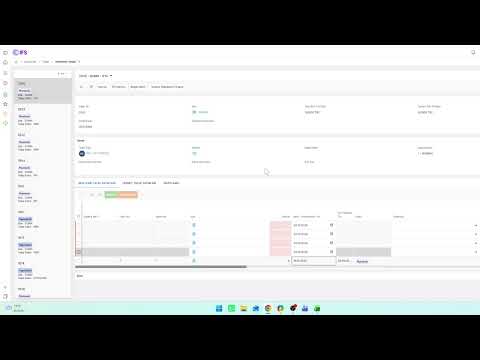
Excel-like copy and paste for IFS Cloud grids. A Copy Paste Extension for IFS Cloud (Unofficial) is a lightweight browser extension that saves time when entering spreadsheet data into IFS Cloud grids. It works between your spreadsheet and the IFS Cloud web interface, so you do not have to type each value by hand. KEY FEATURES • Smart Grid Paste: Copy data from Excel or any tab-separated source and paste it into IFS Cloud grids, starting from the cell you clicked. • Paste modes: Fill the existing rows, or add new lines for the pasted data. • Grid Copy: Copy a range of cells from a grid and paste it into Excel. • Selection Sum: Select cells to see a quick sum in an on-page bar. • Works within your session: The extension uses the page's regular input fields in your current browser session, with your existing user permissions. PRIVACY The extension does not collect, store, or transmit any data. It has no servers and no analytics. The clipboard is read only when you paste and written only when you copy. It runs only on pages whose address contains "ifs". REQUIRED PERMISSIONS • Clipboard read: to read the data you choose to paste. • Clipboard write: to place copied grid cells on your clipboard. DISCLAIMER 1. Nature of the software: This is a client-side productivity tool that automates the manual entering of data into standard browser input fields. It does not access databases directly, and it is not a data migration tool. 2. No affiliation: This is an independent, third-party extension. It is not affiliated with, authorized, sponsored, or endorsed by IFS AB or any of its subsidiaries or affiliates. "IFS" and "IFS Cloud" are trademarks of their respective owner and are used only to describe compatibility. 3. Compliance: The extension is intended for users who have legitimate, licensed access to their IFS Cloud environment. It acts within the permissions of the logged-in user and is not designed to bypass any security control, license restriction, or user limit. Users are responsible for complying with their organization's policies and their license agreement. 4. As-is, no warranty: The extension is provided "as is", without warranties of any kind, including accuracy or completeness of processed data. The user is solely responsible for checking the data entered. To the maximum extent permitted by law, the developer is not liable for any direct or indirect damages, including data loss or downtime, arising from use of the extension. 5. Intellectual property: The code of this extension is original work of the developer. No proprietary source code or official assets of the software vendor are used or redistributed.
5 out of 512 ratings
Details
- Version2.6.4
- UpdatedOctober 25, 2026
- Size38.98KiB
- LanguagesEnglish (United States)
- Developer
Email
Baran.official2017@gmail.com - Non-traderThis developer has not identified itself as a trader. For consumers in the European Union, please note that consumer rights do not apply to contracts between you and this developer.
Privacy

This developer declares that your data is
- Not being sold to third parties, outside of the approved use cases
- Not being used or transferred for purposes that are unrelated to the item's core functionality
- Not being used or transferred to determine creditworthiness or for lending purposes