


Overview
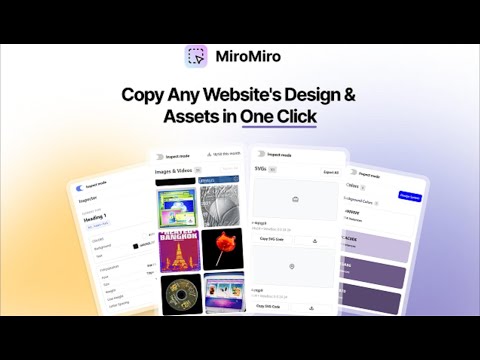
Inspect any website's design: extract colors, fonts, spacing, SVGs, Lottie animations, and export to code. No DevTools needed.
MiroMiro is the design toolkit for the web. Inspect any website, extract its colors, fonts, components, and assets, edit styles live like in Figma, and export clean code, all without opening DevTools. What you can do: • Inspect & edit live. Hover any element to see its styles. Click to open the Editor panel and change colors, fonts, spacing, borders, opacity, and shadows in real time. The page updates as you type. • Click to copy any value. The Info tab shows every property of the selected element as a copyable chip. Grab a hex color, a font family, a shadow, a border-radius. One click, on your clipboard. • Export to code. Select any section of a page and export it as clean Tailwind or HTML + CSS. • Capture the design system. The Overview gives you the site's full color palette, font stack, spacing scale, radius style, shadow tier, and detected tech stack at a glance. • Download assets. Pull images, SVGs, and Lottie animations directly from any website. No more right-click-save-as. • Accessibility checker. Built-in WCAG contrast analysis on any text element you select. • Design tokens. Extract tokens for Tailwind, CSS variables, or JSON. Who uses MiroMiro: - Web designers collecting color palettes, font combinations, and visual references - Frontend developers grabbing CSS values, inspecting layouts, and extracting assets - UX designers checking accessibility and color contrast across pages - Agencies analyzing competitor websites and gathering client brand assets How it works: Open MiroMiro from the Chrome side panel and browse any website. Colors, fonts, images, and assets are extracted automatically. Click any element to see its full CSS breakdown. In the Editor tab, change any value and watch the page update in real time. Copy or download anything with one click. No DevTools needed. Just hover, click, and copy. Free for 3 days with full access. Upgrade to Pro for unlimited exports, full page accessibility scans, and unlimited extractions. Learn more at miromiro.app
5 out of 511 ratings
Details
- Version1.9.0
- UpdatedApril 30, 2026
- FeaturesOffers in-app purchases
- Size606KiB
- LanguagesEnglish
- DeveloperSoraia Lima CidWebsite
Lugar de Espiñeiros 19C Allariz, Ourense 32668 ESEmail
sorilc@hotmail.comPhone
+34 698 10 78 22 - TraderThis developer has identified itself as a trader per the definition from the European Union and committed to only offer products or services that comply with EU laws.
Privacy

MiroMiro has disclosed the following information regarding the collection and usage of your data. More detailed information can be found in the developer's privacy policy.
MiroMiro handles the following:
This developer declares that your data is
- Not being sold to third parties, outside of the approved use cases
- Not being used or transferred for purposes that are unrelated to the item's core functionality
- Not being used or transferred to determine creditworthiness or for lending purposes
Support
For help with questions, suggestions, or problems, visit the developer's support site