


Overview
After a GeoGuessr round, rebuilds the Street View and boxes the specific country clues you missed. Sign in with Google.
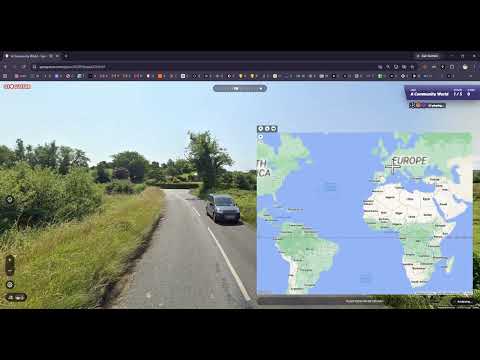
GeoCoach is your post-game coach for GeoGuessr. Most tools try to help you DURING a round. GeoCoach does the opposite — it waits until you've locked in your guess and the real location is revealed, then shows you exactly what you missed and how to spot it next time. HOW IT WORKS The moment a round ends, GeoCoach: - Rebuilds the round's Street View panorama and splits it into four clean compass views (North, East, South, West) - Scans each view and draws boxes around the specific clues that point to the country or region — road markings, bollards, license plates, signage, utility poles, architecture, vegetation and more - Explains why each clue matters and how to recognize it in future rounds A COACH, NOT A CHEAT GeoCoach only runs AFTER the correct answer is shown. It never reveals the location during a round and can't be used to win in the moment. Its only job is to turn each finished round into a lesson so you become a genuinely better, faster player. WHAT YOU GET - Free: 15 round reviews per day - Pro ($2.99/month): 100 round reviews per day GETTING STARTED 1. Install GeoCoach and sign in with Google. 2. Play a round of GeoGuessr as normal. 3. After you guess, open the GeoCoach panel to see your annotated breakdown. Manage your account and plan at https://geocoach.xyz. PRIVACY GeoCoach signs you in with Google only to identify your account. It does not track your browsing, and round analysis happens only after a round ends. Privacy policy: https://geocoach.xyz/privacy Questions or feedback? https://geocoach.xyz/contact
0 out of 5No ratings
Details
- Version1.0.3
- UpdatedJune 21, 2026
- FeaturesOffers in-app purchases
- Size156KiB
- LanguagesEnglish
- DeveloperRani SrivastawaWebsite
A-38 Shiv Vihar, Vikas Nagar New Delhi, Delhi 110059 INEmail
awnishsrivastwa@gmail.com - Non-traderThis developer has not identified itself as a trader. For consumers in the European Union, please note that consumer rights do not apply to contracts between you and this developer.
Privacy

GeoCoach — GeoGuessr Round Coach has disclosed the following information regarding the collection and usage of your data. More detailed information can be found in the developer's privacy policy.
GeoCoach — GeoGuessr Round Coach handles the following:
This developer declares that your data is
- Not being sold to third parties, outside of the approved use cases
- Not being used or transferred for purposes that are unrelated to the item's core functionality
- Not being used or transferred to determine creditworthiness or for lending purposes
Support
For help with questions, suggestions, or problems, please open this page on your desktop browser