


Overview
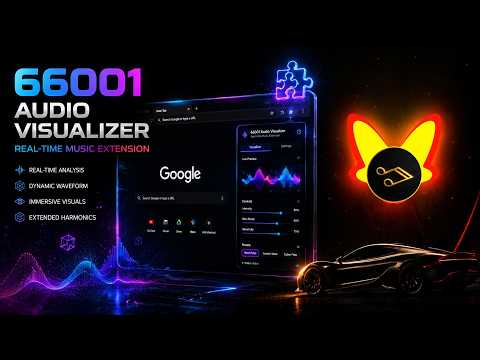
Turn any browser audio into 60FPS live visualizers & export 1080p/2K music videos instantly from side panel!
🎵 Feel the Beats, See the Sound! 66001 - Audio Visualizer is a powerful, high-performance Chrome Extension crafted for music lovers, independent artists, producers, and content creators. Transform any audio playing in your browser into stunning 60FPS live music spectrums right inside your Chrome Side Panel! ✨ KEY FEATURES: 1. ⚡ Instant Tab Audio Capture - Capture audio from any playing browser tab with a single click. Fully compatible with online web players and streaming tabs. - Powered by WebAudio and WASM high-speed engines for smooth 60FPS performance with ultra-low CPU overhead. 2. 🎨 Rich Library of Cyber & Fluid FX - Includes an expanding suite of visualizer themes: 3D Neon Rings, Fluid Waves, Aurora Mountains, Pulsating Vinyl Records, and Cyberpunk Particles. - Real-time parameter tuning: Adjust global amplitude gain, color shift speed, neon glow brightness, and particle density. 3. 🖼️ Deep Visual Customization - Custom Backgrounds: Upload your own HD/4K wallpaper or set custom ambient background tint colors. - Custom Logo & Album Covers: Embed your brand logo or album artwork directly into the visualizer center. 4. 🎬 1080p / 2K High-FPS Video Exporting - Integrated high-speed video renderer supporting 60FPS video exports. - Multi-Aspect Ratio Support: Toggle between 16:9 Widescreen and 9:16 Vertical for social video platforms. - Free users can export full-length videos with watermarks. Upgrade to Pro to unlock pristine, watermark-free exports! 5. 🛡️ 100% Local & Privacy-First - All audio processing and video rendering happen locally inside your browser. Zero data or audio files are ever uploaded to external servers. 💡 PERFECT FOR: • Musicians & Music Producers: Create captivating promo videos for new singles and beats. • Video Creators & Bloggers: Quickly make vibrant visualizer videos for background music and audio clips. • Music Lovers: Enjoy an immersive, ambient visual showcase while listening to your favorite tunes. 🚀 QUICK START: 1. Open the 66001 side panel by clicking the extension icon. 2. Play any track or video in your browser. 3. Select your favorite FX, customize the artwork, and click "Start Render" to export your music video!
0 out of 5No ratings
Details
- Version1.2
- UpdatedAugust 25, 2026
- FeaturesOffers in-app purchases
- Size17.93MiB
- Languages2 languages
- Developer
- TraderThis developer has identified itself as a trader per the definition from the European Union and committed to only offer products or services that comply with EU laws.
Privacy

This developer declares that your data is
- Not being sold to third parties, outside of the approved use cases
- Not being used or transferred for purposes that are unrelated to the item's core functionality
- Not being used or transferred to determine creditworthiness or for lending purposes
Support
For help with questions, suggestions, or problems, visit the developer's support site