


Overview
Track your words across any website. Every word counts toward your 4thewords battles.
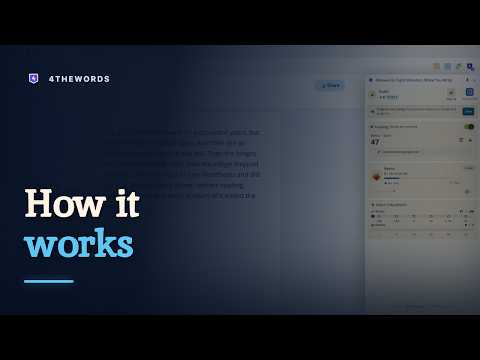
Turn any website into a writing RPG. 4thewords makes the writing itself the game. Pick a monster, start typing, and every word you write deals damage. Beat the word count before the timer runs out and the monster falls, dropping loot. Miss it, and the monster wins this round. Pick another and go again. Every word is a weapon. The Chrome extension brings the game to wherever you already write: Google Docs, Notion, Substack, WordPress, AO3, and any site you choose (even your email drafts). Your writing tools stay exactly the same. The monsters just follow you there. START IN TEN SECONDS, NO ACCOUNT NEEDED Install, open a site where you write, and fight your first monster immediately. Four starter monsters, full word counting, and a local streak work with no signup at all. When you are ready, a free account unlocks the full game: a world of 900+ hand-painted monsters, quests, co-op battles, and a streak that syncs everywhere you write. KEY FEATURES - Fight monsters while you write, on the sites you choose - Hundreds of hand-painted monsters with different word counts and time limits (4 starters with no account) - Build your daily writing streak, 444 words at a time - Battle queue: line up monsters and auto-start the next one when the first falls - Endurance mode: the monster attacks, and your words are the defense - Co-op battles: fight alongside other writers in shared battle rooms - Quests with multi-battle storylines - Earn loot, XP, and Coins for every battle won - See where your words go: per-site stats by day, week, month, year, or all time - A side panel companion that keeps score while you write - 7 color themes, from Pearl light to Obsidian dark - Offline mode: keep playing entirely on your own device - Syncs with your full 4thewords account YOU CHOOSE WHERE IT COUNTS The extension counts words only on sites you allow. Nineteen writing-first sites are on by default, including Google Docs, Notion, Substack, Medium, WordPress, AO3, Overleaf, Word on the web, Scrivener-style tools like Novlr and NovelPad, Reedsy, Evernote, Coda, and World Anvil. Adding any other site takes one click. Everywhere else, it counts nothing. YOUR WORDS STAY YOURS - It never reads, stores, or transmits the text you write. Counting works on word boundaries, not content. - Password fields, one-time codes, card numbers, and other sensitive inputs are excluded at four independent layers. - Site names and document titles stay on your device unless you switch on "Word counting by site", which is off by default and reversible at any time. - Zero analytics libraries, no ads, no trackers. Fonts ship inside the extension, so the popup and side panel open with no third-party requests. One exception, and it is the only one: the "Words by site" list fetches site icons from Google's favicon service, cached on your device. - We never train AI on your words or your writing data. Our monsters are painted by humans, and your words are written by you. WHO IT'S FOR - Novelists chasing daily word counts - Students and academics with papers that will not write themselves - Journalers and bloggers building a daily habit - Anyone whose blank page keeps winning - Former NaNoWriMo participants who want the challenge year-round HOW IT WORKS 1. Install. No account needed to start. 2. Open a site where you write. 3. Click the 4thewords icon and pick a monster. 4. Write. Every word deals damage. 5. Win the battle, claim the loot, keep the streak alive. FREE TO START Start free with no card, ever. Bring the monsters to where you write, and see what you finish. Questions or feedback? help.4thewords.com
4.8 out of 513 ratings
Details
- Version1.0.7
- UpdatedOctober 26, 2026
- Size1017KiB
- LanguagesEnglish
- DeveloperWebsite
Email
developer@4thewords.com - Non-traderThis developer has not identified itself as a trader. For consumers in the European Union, please note that consumer rights do not apply to contracts between you and this developer.
Privacy

4thewords: Fight Monsters While You Write has disclosed the following information regarding the collection and usage of your data. More detailed information can be found in the developer's privacy policy.
4thewords: Fight Monsters While You Write handles the following:
This developer declares that your data is
- Not being sold to third parties, outside of the approved use cases
- Not being used or transferred for purposes that are unrelated to the item's core functionality
- Not being used or transferred to determine creditworthiness or for lending purposes
Support
For help with questions, suggestions, or problems, visit the developer's support site