

411 Optimizer for TikTok

Overview
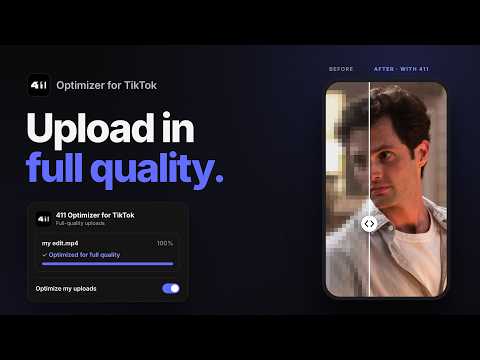
Upload to TikTok in full quality, even when you add a TikTok sound. Works with your 411 account.
Your edit deserves to look the way you exported it. TikTok re-compresses videos on upload, and adding a sound from its library makes it worse: soft edges, blocky shadows, lost detail. 411 TikTok Optimizer prepares your video before TikTok uploads it, so your edit keeps its full quality. You pick or drop the video like always. 411 handles the rest. Built by 411, the team behind 411 Editing and scenepacks.com, for editors who care about every frame. WHAT IT DOES • Full-quality uploads: your video is optimized right before TikTok receives it • Works with TikTok sounds: add a sound from the library without losing quality • Zero extra steps: pick or drop your video on TikTok's website as usual • One switch: turn the optimizer on once and every upload is covered • Live status: see each video optimize in the extension before it posts • Connected to your 411 account: the same login you use on 411editing.com and scenepacks.com 411 PRO • Unlimited optimized uploads • Access to the full 411 ecosystem: scenepacks, Quick Scenes, Scener and more HOW IT WORKS 1. Install the extension and sign in with your 411 account 2. Open TikTok in your browser and upload your video as usual 3. Add your sound and post. 411 takes care of the quality THREE RULES FOR FULL QUALITY 1. Optimize on the device you post from. Chat apps compress videos when you send them 2. Upload the file as is 3. Don't trim, filter or add effects inside TikTok. That triggers compression again MORE THAN AN EXTENSION 411 TikTok Optimizer is part of the 411 ecosystem: 7000+ scenepacks, a community of 1,000,000+ editors, and tools built by people who edit every day. Updates ship as TikTok changes. When TikTok blocks a method, we find a new one. Support: contact@411media.group Website: https://411media.group 411 TikTok Optimizer is an independent tool and is not affiliated with, endorsed by, or sponsored by TikTok or ByteDance.
0 out of 5No ratings
Details
- Version0.1.4
- UpdatedOctober 26, 2026
- FeaturesOffers in-app purchases
- Offered by411 Media Group
- Size171KiB
- LanguagesEnglish
- Developer411 Media Group
8 The Green Suite A Dover, DE 19901 USEmail
contact@411media.groupPhone
+51 904 086 600 - TraderThis developer has identified itself as a trader per the definition from the European Union and committed to only offer products or services that comply with EU laws.
Privacy

411 Optimizer for TikTok has disclosed the following information regarding the collection and usage of your data. More detailed information can be found in the developer's privacy policy.
411 Optimizer for TikTok handles the following:
This developer declares that your data is
- Not being sold to third parties, outside of the approved use cases
- Not being used or transferred for purposes that are unrelated to the item's core functionality
- Not being used or transferred to determine creditworthiness or for lending purposes
Support
For help with questions, suggestions, or problems, visit the developer's support site