


Overview
AI-powered review analytics and contact scraper for 2GIS. Collect data and build dashboards using ChatGPT & Claude.
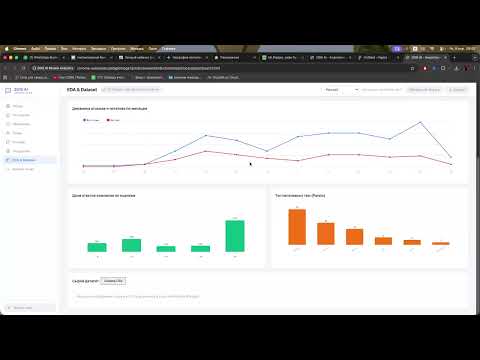
Turn 2GIS data into your competitive advantage with the power of AI! 2GIS AI Review Analytics is a robust tool designed for business owners, marketers, and analysts to automate data collection and perform deep sentiment analysis on 2GIS reviews. Stop manual scrolling and get structured visual reports in seconds. 🚀 Key Features: 1. AI-Driven Insights: - Instant Summarization: AI (Claude, ChatGPT, or Qwen) extracts the essence of thousands of reviews. - "What They Praise": Identify the strengths of any business or competitor. - "Issues & Pain Points": Pinpoint exact customer complaints and areas for improvement. - Stratified Sampling: Ensures a balanced and representative analysis, not just the latest entries. 2. Bulk Contact Scraper: - Extract business data directly from 2GIS search results. - Export names, addresses, phone numbers, and websites to Excel-ready CSV. - Batch processing support for up to 15 search result pages. 3. Interactive Dashboard: - Beautiful data visualization and trend tracking. - Market Mapping (Scatter Plot) to visualize competitor positioning. - Branch-level filtering and comparative analytics. 4. Flexible & Secure: - Works across all 2GIS domains (.kz, .ru, .ae, .uz, .it, .cz, etc.). - Bring Your Own Key: Supports OpenAI, Anthropic, and DashScope (Alibaba). - Light/Dark mode and multi-language UI support. - Privacy First: Your API keys are stored locally and never leave your browser. 🎯 Who is it for? - Marketing & Reputation Managers: For quick feedback analysis and reporting. - Sales Teams: For efficient lead generation and contact database building. - Business Owners: For competitive benchmarking and monitoring service quality. How to get started? 1. Install the extension. 2. Add your API Key (Anthropic, OpenAI, or Qwen) in the Settings page. 3. Open any business page or search results on 2GIS. 4. Click the extension icon and let the AI do the work! --- ⚠️ Legal Disclaimer: This extension is an independent developer tool and is NOT affiliated with, endorsed by, or in any way officially connected with 2GIS (Digital Technologies LLC) or any of its affiliates. The user assumes full responsibility for complying with 2GIS Terms of Service while using this tool.
0 out of 5No ratings
Details
- Version1.0.3
- UpdatedApril 19, 2026
- Size218KiB
- Languages2 languages
- DeveloperWebsite
Email
alisher1.kz@gmail.com - Non-traderThis developer has not identified itself as a trader. For consumers in the European Union, please note that consumer rights do not apply to contracts between you and this developer.
Privacy

2GIS AI Review Analytics & Contact Parser has disclosed the following information regarding the collection and usage of your data. More detailed information can be found in the developer's privacy policy.
2GIS AI Review Analytics & Contact Parser handles the following:
This developer declares that your data is
- Not being sold to third parties, outside of the approved use cases
- Not being used or transferred for purposes that are unrelated to the item's core functionality
- Not being used or transferred to determine creditworthiness or for lending purposes
Support
For help with questions, suggestions, or problems, please open this page on your desktop browser