

2-Step Zoom Recording Downloader
6 ratings
)
Overview
Capture Zoom recording links and save them locally with optional desktop helper support.
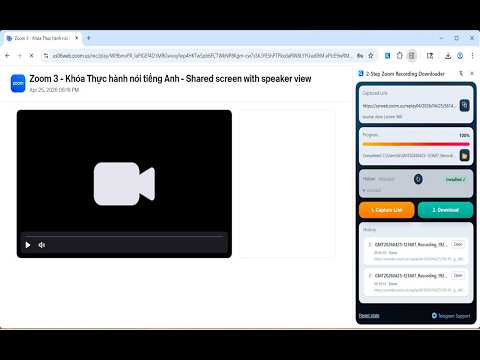
Download Zoom cloud recordings reliably in full quality. Some Zoom recordings use protected download links that Chrome does not save reliably. This extension helps you capture the correct link and save the file locally. How to use: 1. Open your Zoom recording page and play the video for 2-3 seconds 2. Click Capture to detect the best recording link from the current page 3. Click Download to save the recording to your machine Why this helps: Some Zoom recording links depend on your current browser session and can fail in Chrome with expired links, blocked downloads, or incomplete files. This extension captures the recording link from the active page and uses a small local helper to save the file more reliably. Features: • Detects the best recording link automatically • Reliable local saving for protected or large recordings • Real-time progress tracking • Download history with one-click file access • Works on macOS, Windows, and Linux One-time setup: The extension uses a small desktop helper (~5MB) for direct local file saving when Chrome download flow is not reliable. Setup takes about 30 seconds. No admin rights needed. Source code is public for review. Privacy: Everything runs locally on your device. No third-party servers, no cloud processing, no tracking. Your recordings stay on your machine.
5 out of 56 ratings
Details
- Version1.2.1
- UpdatedMay 13, 2026
- Size34.11KiB
- LanguagesEnglish
- Developer
Email
henrynguyen6677@gmail.com - Non-traderThis developer has not identified itself as a trader. For consumers in the European Union, please note that consumer rights do not apply to contracts between you and this developer.
Privacy

2-Step Zoom Recording Downloader has disclosed the following information regarding the collection and usage of your data. More detailed information can be found in the developer's privacy policy.
2-Step Zoom Recording Downloader handles the following:
This developer declares that your data is
- Not being sold to third parties, outside of the approved use cases
- Not being used or transferred for purposes that are unrelated to the item's core functionality
- Not being used or transferred to determine creditworthiness or for lending purposes
Support
For help with questions, suggestions, or problems, visit the developer's support site