


개요
브라우저에서 차단되지 않은 상태로 1v1.lol을 플레이하세요! 빠르게 진행되는 슈팅, 건물 전투, PvP 액션 — 즉각적인 액세스와 끝없는 즐거움.
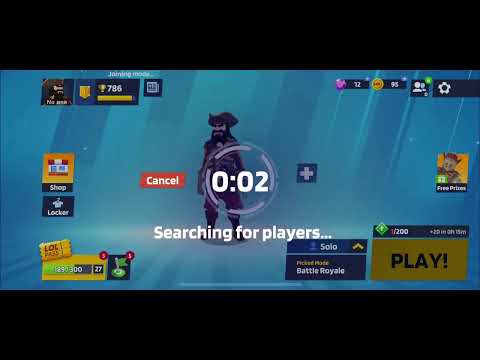
Jump into 1v1.lol Unblocked – PvP Shooter & Builder, the ultimate browser extension bringing the popular 1v1.lol experience right to your toolbar! No downloads, no blocks — just fast-paced multiplayer combat and strategic building fun wherever you are. 🔥 Competitive PvP Action Engage in intense 1v1 shootouts and duels against players from around the world. Use your aim, reflexes, and tactics to outshoot your opponent and climb the ranks in fast, adrenaline-charged matches. 🛠️ Build & Fight Mechanics A core feature that sets this game apart is the ability to build structures in real time. Place walls, ramps, and platforms to defend yourself, outmaneuver foes, and create tactical advantages during combat. 🎮 Game Modes & Features • 1v1 Duels – Quick head-to-head battles against real players. • Build Mode – Hone your construction skills and strategy without pressure. • Custom Matches – Tailor your experience with friends or solo challenges. • Multiple Weapons – Switch between rifles, shotguns, SMGs, and melee tools during combat. ⚡ Instant & Unblocked Gameplay Whether you’re at school, work, or on the go, this extension lets you launch 1v1.lol instantly from your browser. Perfect for quick matches, daily practice, or long PvP sessions — all without network restrictions. 💡 Easy Controls • W/A/S/D – Move • LMB – Shoot / Build • RMB – Aim/Zoom • Z/X/C/V – Switch build pieces • 1/2/3 – Change weapons These intuitive controls make jumping into battle a breeze. 🏆 Why You’ll Love It Experience the perfect blend of shooter and builder mechanics in a lightweight browser extension. Push your skills, adapt your tactics, and prove you’re the best in every duel! 📣 Install Now Add 1v1.lol Unblocked – PvP Shooter & Builder to your browser and start battling instantly!
5점 만점에 5점평점 2개
세부정보
개인정보 보호

개발자가 사용자 데이터에 관해 다음과 같이 선언했습니다
- 승인된 사용 사례를 제외하고 서드 파티에 판매하지 않음
- 항목의 핵심 기능과 관련 없는 목적으로 사용하거나 전송하지 않음
- 신용도 판단 또는 대출 목적으로 사용하거나 전송하지 않음
지원
질문, 제안 또는 문제와 관련하여 도움이 필요하시면 개발자의 지원 사이트를 방문하세요.