

1QR — Short URLs

Overview
Create branded short URLs from the current tab, right-click on any link, or type `1qr` in the address bar.
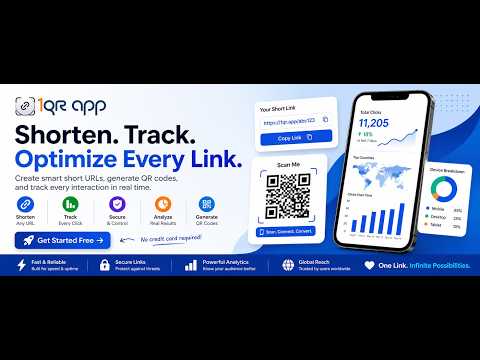
1QR is the fastest way to create branded short URLs from anywhere in Chrome. One-click shorten. Click the 1QR icon to shorten the active tab and copy the result to your clipboard. Right-click anywhere. Shorten any link on any page via the browser context menu. Address-bar shortcut. Type 1qr in the omnibox, press Tab, and optionally add a custom slug. Profiles. Group links by profile (Personal, Company, Campaigns) and optionally surface them on your public 1QR profile page. Secure session. Short-lived access tokens with automatic refresh — your login lasts as long as you stay active, without leaving you permanently exposed if your device is compromised. Open the 1QR dashboard at any time from the extension to manage links, QR codes, analytics, domains, and profiles.
0 out of 5No ratings
Details
- Version0.4.5
- UpdatedAugust 18, 2026
- Offered byKrafts AI LLC
- Size159KiB
- LanguagesEnglish
- Developer
Email
asher@krafts.ai - Non-traderThis developer has not identified itself as a trader. For consumers in the European Union, please note that consumer rights do not apply to contracts between you and this developer.
Privacy

1QR — Short URLs has disclosed the following information regarding the collection and usage of your data. More detailed information can be found in the developer's privacy policy.
1QR — Short URLs handles the following:
This developer declares that your data is
- Not being sold to third parties, outside of the approved use cases
- Not being used or transferred for purposes that are unrelated to the item's core functionality
- Not being used or transferred to determine creditworthiness or for lending purposes
Support
For help with questions, suggestions, or problems, please open this page on your desktop browser