

1-click navan refund
2 ratings
)
Overview
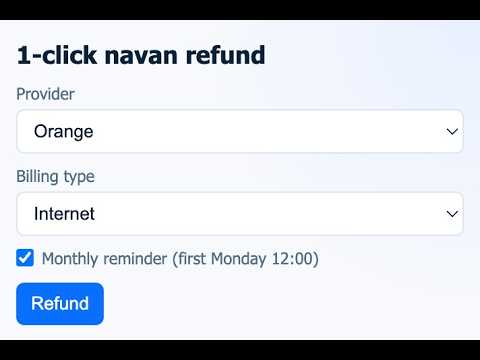
1-click invoice download and Navan expense submission.
How does it work? 1. click refund button 2. wait and relax. The tool automatically goes to your provider page, download the PDF, upload it to Navan, create a transaction, auto-fill relevant fields. 3. review the form and submit Support If you have feedback that you want to share with me or if there are other providers that you use but are not supported yet. Email to: 1clicknavan.help@gmail.com. Or simply leave a review! If you like it: Leave a star or review! Or buy me a bubble tea: https://buymeacoffee.com/evanhanhan Changelog 27 July 2026: Navan changed the new process again. Adapt the extension for this new process. 4 May 2026: Adapting to Navan's new process. Navan auto-fill will only happen once. Fix Red-by-SFR tab switch to continue the flow.
5 out of 52 ratings
Details
- Version1.1.0
- UpdatedJuly 28, 2026
- Offered byEvHanHan
- Size11.47MiB
- LanguagesEnglish
- Developer
Email
hanhan.evan@gmail.com - Non-traderThis developer has not identified itself as a trader. For consumers in the European Union, please note that consumer rights do not apply to contracts between you and this developer.
Privacy

This developer declares that your data is
- Not being sold to third parties, outside of the approved use cases
- Not being used or transferred for purposes that are unrelated to the item's core functionality
- Not being used or transferred to determine creditworthiness or for lending purposes