


Overview
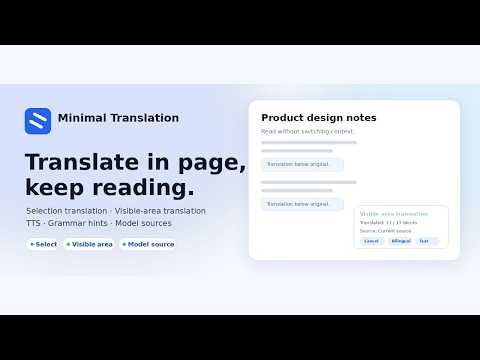
Translate visible webpage text on-device or with a configured model service.
极简翻译提供页内划词翻译、用户主动触发的可见区域双语翻译和侧边栏翻译,帮助保持网页阅读上下文。 默认 Chrome 设备端翻译;可选择浏览器本地模型或自行配置的模型服务。首次使用需在设置中准备语言资源或下载选定模型。浏览器及设备支持情况不同,部分本地模型需要 WebGPU。下载支持独立进度、失败重试和缓存删除。只使用选中来源,不自动回退。 还支持原文朗读、词典、图片 OCR、语法提示和本地最近翻译历史。 默认无需账号,设置保存在本地。设备端翻译不上传翻译文本。模型数据仅在用户主动准备时从 Hugging Face 及其数据 CDN 下载;所有可执行 JavaScript/Wasm 随扩展打包。用户主动使用配置的模型服务、词典、OCR 或语法等联网功能时,才向对应第三方发送必要内容。可见区域翻译不预翻译视口外内容,并跳过隐藏内容、代码块和编辑区。不出售用户数据,不用于个性化广告。 Minimal Translation provides inline selected-text translation, user-triggered visible-area bilingual translation and a translation side panel. Use Chrome on-device translation, optional browser-local models or a user-configured model service. Prepare language resources or download the selected model in Settings before use. Availability depends on your browser and device; some local models require WebGPU. Downloads support independent progress, retry and cache deletion. Only the selected source is used, with no automatic fallback. Other reading tools include source speech, dictionary, image OCR, grammar assistance and local recent history. No account is required by default. On-device translation does not upload translation text. Optional model data downloads from Hugging Face and its data CDN only when requested. All executable JavaScript/Wasm is bundled. Configured model services, dictionary, OCR and grammar send necessary data only when actively used. Page translation skips off-screen or hidden content, code blocks and editing areas. No sale of user data or personalized advertising.
5 out of 56 ratings
Details
- Version0.1.12
- UpdatedSeptember 8, 2026
- Size12.12MiB
- Languages中文(中国)
- DeveloperWebsite
Email
brendenaudrina6287@gmail.com - Non-traderThis developer has not identified itself as a trader. For consumers in the European Union, please note that consumer rights do not apply to contracts between you and this developer.
Privacy

This developer declares that your data is
- Not being sold to third parties, outside of the approved use cases
- Not being used or transferred for purposes that are unrelated to the item's core functionality
- Not being used or transferred to determine creditworthiness or for lending purposes
Support
For help with questions, suggestions, or problems, visit the developer's support site