

叮咚鸡NZ WHV Auto Visa自动申请助手

Overview
Chrome扩展自动填写 Immigration New Zealand Online Services 表单
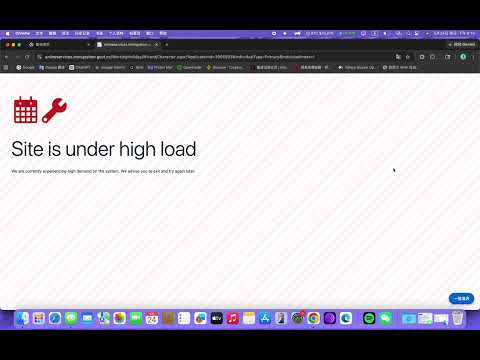
叮咚鸡NZ WHV Auto Visa 自动申请助手是一款用于辅助填写 New Zealand Immigration Online Services 表单的 Chrome 扩展程序,主要面向准备申请新西兰 Working Holiday Visa 的用户。 它可以根据用户提前保存的个人信息、护照信息、联系方式、健康与品行选项、WHV 专项问题等内容,在申请流程中自动填写对应页面,并辅助点击常见的下一步、保存、支付入口等按钮,减少重复输入和手动操作带来的时间消耗。 用户应该安装它的原因: 节省填写时间:提前录入资料后,申请时可自动填入多个页面。 降低手动出错概率:避免在紧张申请过程中反复复制、粘贴、漏填字段。 支持高负载刷新:遇到官网高负载、502、503、504、404 等错误页面时,可按设定间隔自动刷新。 流程更连贯:可辅助进入 Working Holiday 申请页、继续已有申请、处理常见下一步按钮。 信息集中管理:用户可以在扩展 UI 中统一编辑申请资料、账号信息和自动化设置。 本扩展适合作为申请过程中的辅助工具,帮助用户更高效地完成表单填写和页面跳转。用户仍需自行确认所有填写信息准确无误,并在涉及验证码、付款、最终提交等关键步骤时按照官网要求自行完成。
0 out of 5No ratings
Details
- Version0.1.1
- UpdatedJune 16, 2026
- Offered bysouthisland998
- Size81.19KiB
- Languages中文(中国)
- Developer
Email
southisland998@gmail.com - Non-traderThis developer has not identified itself as a trader. For consumers in the European Union, please note that consumer rights do not apply to contracts between you and this developer.
Privacy

叮咚鸡NZ WHV Auto Visa自动申请助手 has disclosed the following information regarding the collection and usage of your data. More detailed information can be found in the developer's privacy policy.
叮咚鸡NZ WHV Auto Visa自动申请助手 handles the following:
This developer declares that your data is
- Not being sold to third parties, outside of the approved use cases
- Not being used or transferred for purposes that are unrelated to the item's core functionality
- Not being used or transferred to determine creditworthiness or for lending purposes
Support
For help with questions, suggestions, or problems, please open this page on your desktop browser